Code.org
Capstone Project
Enhancing the learning and teaching experience on the code.org platform by addressing student and teacher needs.
Problem Statement
Currently, 75% of teachers are using CS Fundamentals (CSF) for teaching computer science in a self-paced setting, even though CSF was designed for whole-class instruction.
This prompted Code.org to want to learn more about how teachers and students are utilizing the platform in its current form, with the goal of updating it to adjust to people’s preferred learning styles.
How Might We
How might we help Code.org understand the current user journey around the CSF Express module to better address the needs of students and teachers?
Project Details
Who is Code.org?
Code.org is a non-profit organization who want to expand access to Computer Science education in schools and increase participation among women and underrepresented minorities.
What is their vision?
Their vision is ignite a lifelong passion for learning computer science in every child through their dynamic K-5 CS curriculum, which blends joy, innovation, and inclusivity with rigorous CS learning.
Team
I worked as a UX/UI Designer and UX Researcher for this project. On my team were 3 other members - 2 UX Researchers and 1 UI/Graphic Designer.
Project Goal
The client wanted us to primarily focus on the self- paced learning path, also known as CSF Express or Computer Science Fundamentals Express course.
Students can learn at their own pace with this course and go through lessons independently.
Research Timeline
In the initial phase of the project, we primarily focused on various user research methods to gain insights into the e-learning industry for elementary students. This process helped our team pinpoint key learning objectives and challenges for both students and teachers within the online platform, as well as discover gamification features that could engage the students.
The second phase of the the project was focused on creating deliverables in the form of personas and customer journey maps to hone in on the student types who represent Code.org. This will help aid the client in future product decisions, ideation sessions for features, and advocation for students learning goals, among other important outcomes.
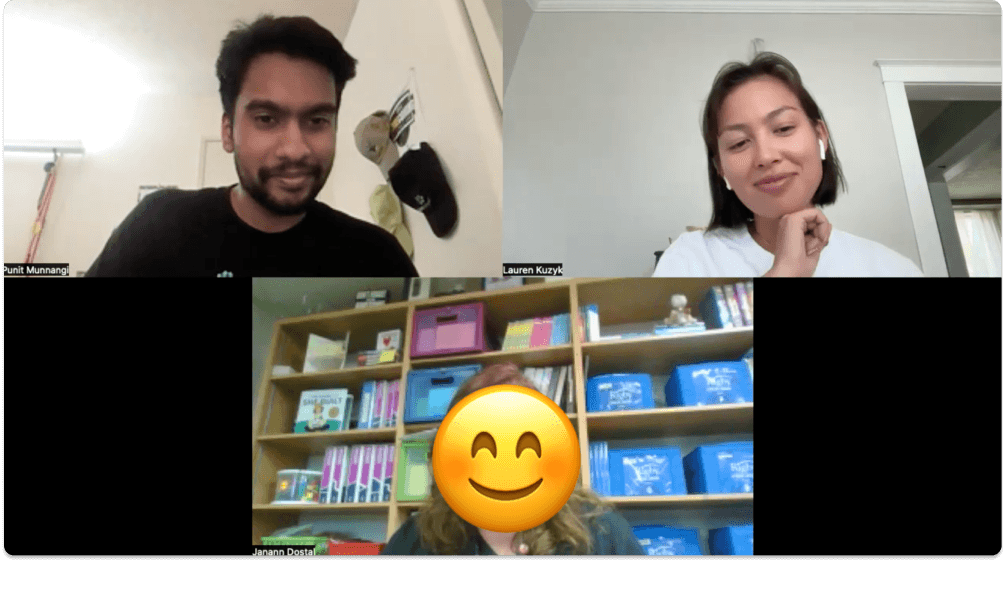
(Teacher interviews via Zoom to identify gamification features and learning goals/challenges on Code.org. Pictured: My teammate Lauren and I interviewing a teacher who uses Code.org for coding lessons.)
The Start of Expert Evaluations

In order to kickoff the research process, there needs to be preliminary research before we can even talk to students and teachers. Our team decided to ground ourselves in a literature review, competitive analysis, and heuristic evaluation.
This would help us all attain a better understanding of the online e-learning space for code education. It would also help us determine immediate fixes Code.org can employ for improvements to their CSF Express platform such as in the case of the heuristic analysis.
Literature Review
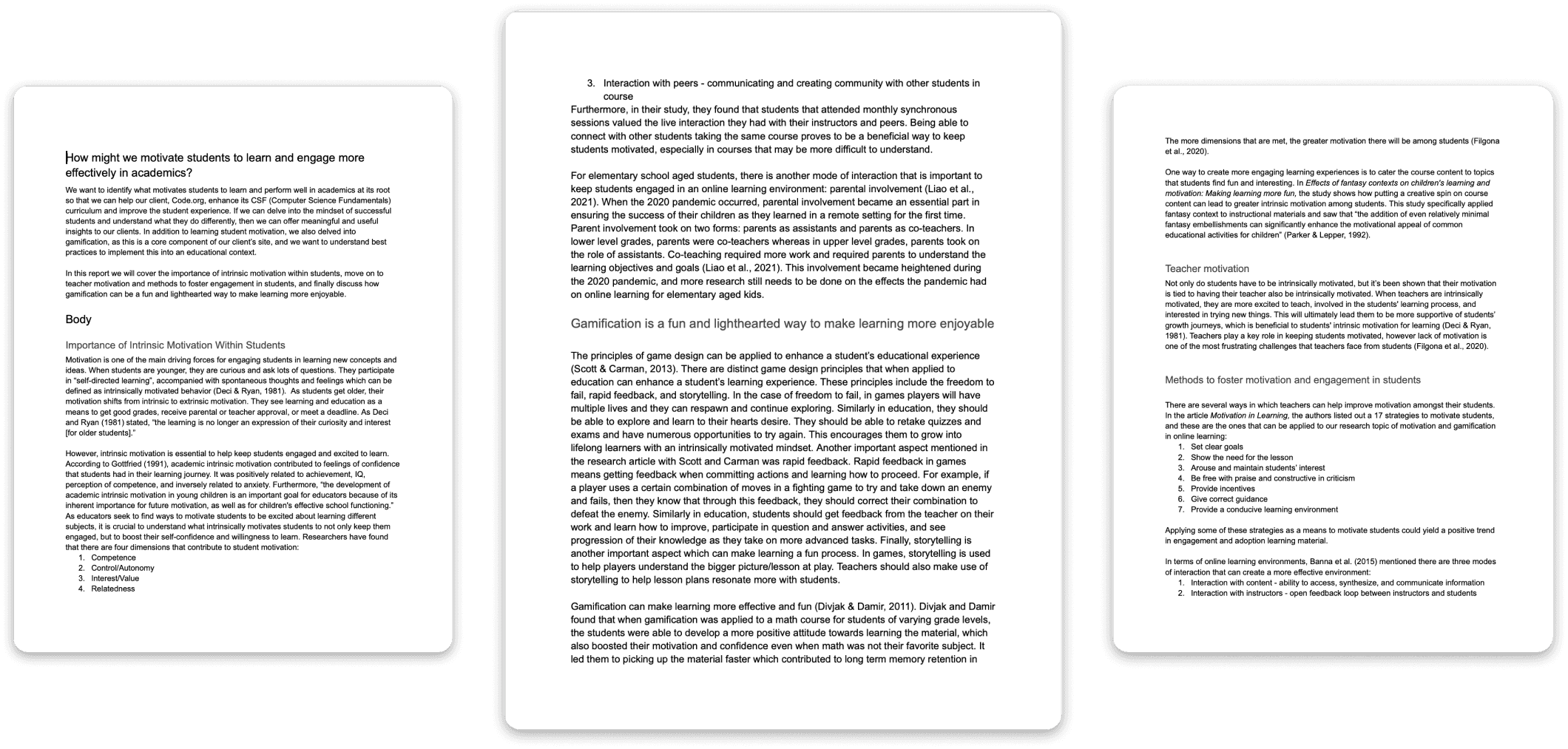
The literature review was the first user research method I utilized to better understand student and teacher motivation in the context of education.
Main Objective: How might we motivate students to learn and engage more effectively in academics?
Methodology: I read through 8 research articles along with my teammate, Cat, and focused on motivation in students and teachers, methods to increase the motivational/engagement factor, and looked into how gamification can be applied to learning.
Literature Review Takeaways
Gamification
Students enjoy educational experiences through Gamification.
Intrinsic vs Extrinsic
Motivation of Students
Younger students are more intrinsically motivated while older students are more extrinsically motivated.
Teacher Motivation
Teachers being motivated to teach also plays a crucial role in student’s ability to learn.
Key Motivators for
Students
Clear goals, Lesson Intent, Arouse of students’ interest, Praise, Constructive Criticism, Incentives, Corrective Guidance, Conducive Learning Environment.
Competitive Analysis
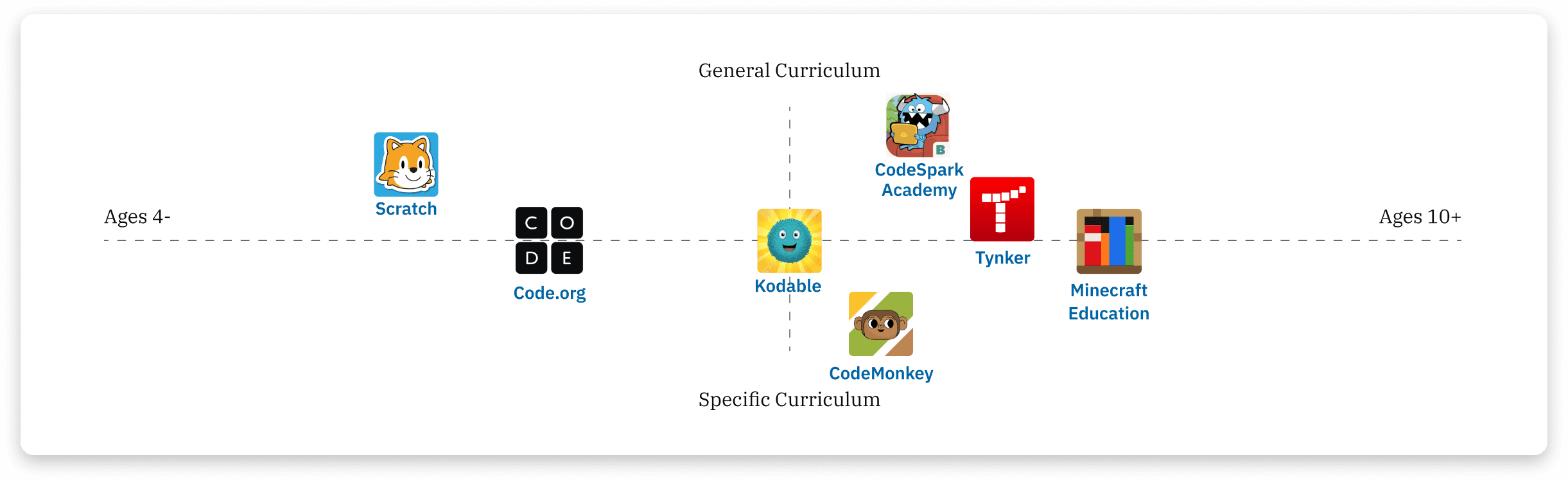
After going through a literature review of the academic space for students and teachers, I helped conduct a competitive analysis to better understand how Code.org stands against other online code learning platforms.
Main Objective: To understand current landscape of online coding modules for elementary aged children and see where Code.org falls in relation to other platforms.
Methodology: I analyzed 7 code learning platforms and 7 general learning platforms to see how they utilize gamification features and teaching tactics.
Competitive Analysis Takeaways
The Competitive Analysis helped our team and client in determining gamification features other platforms utilize that are not available in Code.org. This can help with the client with future ideation and brainstorming for features to include on the platform.
Sharing Projects
Avatars
Point System
Difficulty Modes
Pair Programming
Awards
Heuristic Evaluation

To sum up the expert evaluation methods, I conducted a heuristic analysis to identify any usability issues in the existing CSF User Experience among the Code.org curricula which could be improved upon.
Main Objective: To evaluate the current state of CSF Express in both tablet and desktop experiences to uncover any usability issues.
Methodology: I evaluated the iPad and computer versions of the platform with Nielsen's 10 Usability Heuristics.
Heuristic Evaluation Takeaways
Hints
Hints are inconsistently placed in location and format. This makes them difficult to find and less beneficial as some can be recommendations for additional practice.
Translations
The language and translation feature is inconsistent and does not always update all information available to non-English readers.
Prediction Polls
Prediction Polls cannot be re-attempted when students answer incorrectly the first time.
Saving Work
The platform lacks a clear way to save students’ progress from art pieces.
Transition to User Evaluations

Once my team and I had developed an understanding of student and teacher motivation in learning/education, gamification features that stand out with competitors, and what can be improved on the Code.org platform itself, we turned to teachers and students to help understand further by conducting surveys, interviews, and on-site student observations using CSF Express in real time.
Feature Surveys
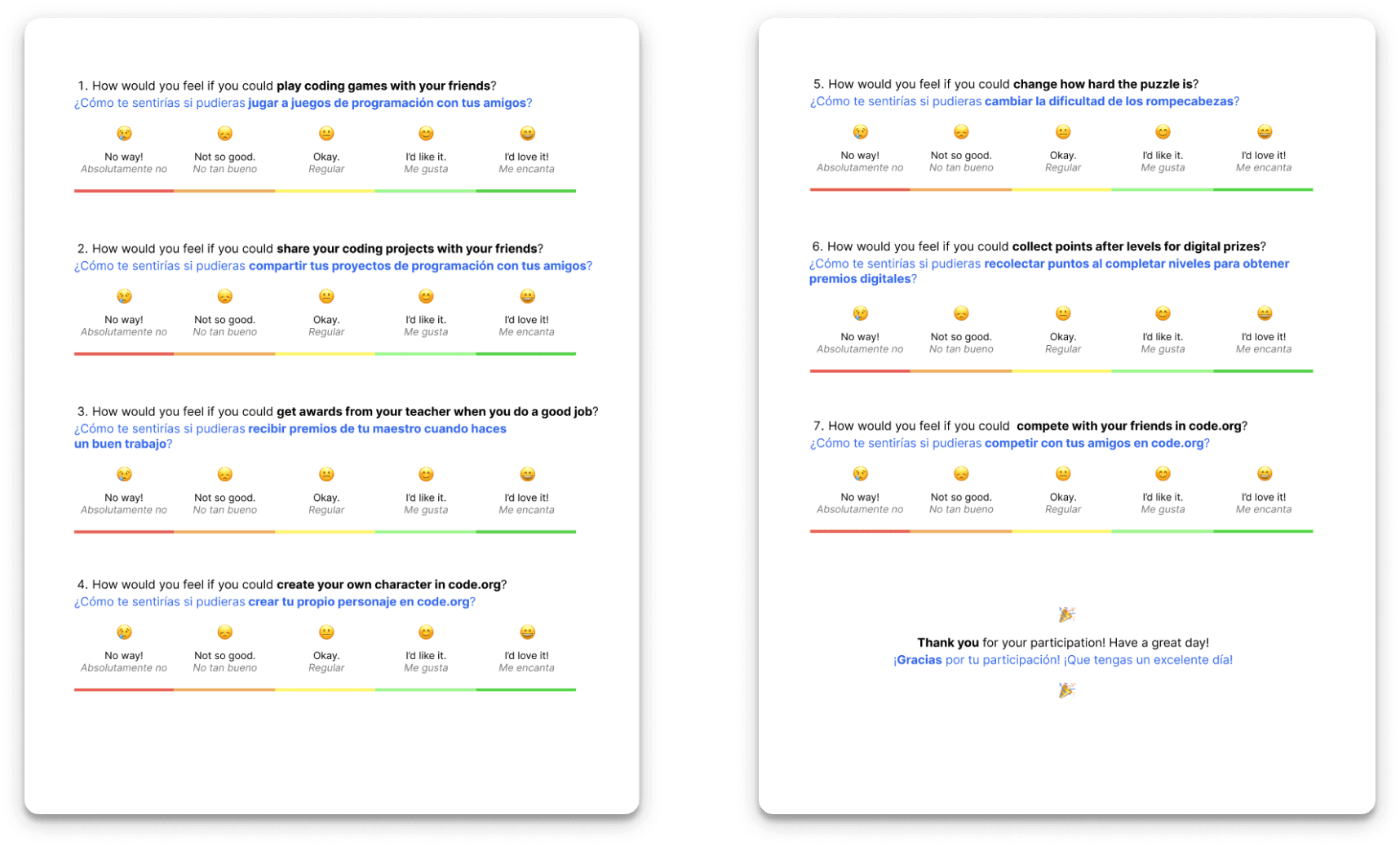
I helped to design the feature survey on Figma which asks students and teachers about their opinions of potential gamification features that can be brought into Code.org. We attained results from 199 teachers and 125 students.
Main Objective: Understand which gamification features from the competitive evaluation are the most valuable to implement that could help increase engagement and adoption of the CSF Express course.
Lessons and Challenges:
- How do we adapt the survey for kids?
- The students preferred digital surveys to physical ones, so we adapted and created a digital survey on Google Forms.
- The survey for kids was simplified and had less complex language than the survey for adults (For kids we engaged with emotions more and for adults we wants to understand logic more.)
Feature Surveys Takeaways
Our team collected the top features from the student and teacher surveys, drawing insights on which features were suitable for both. Taking the average of both groups, the top gamification features were the point system, avatars, and awards.
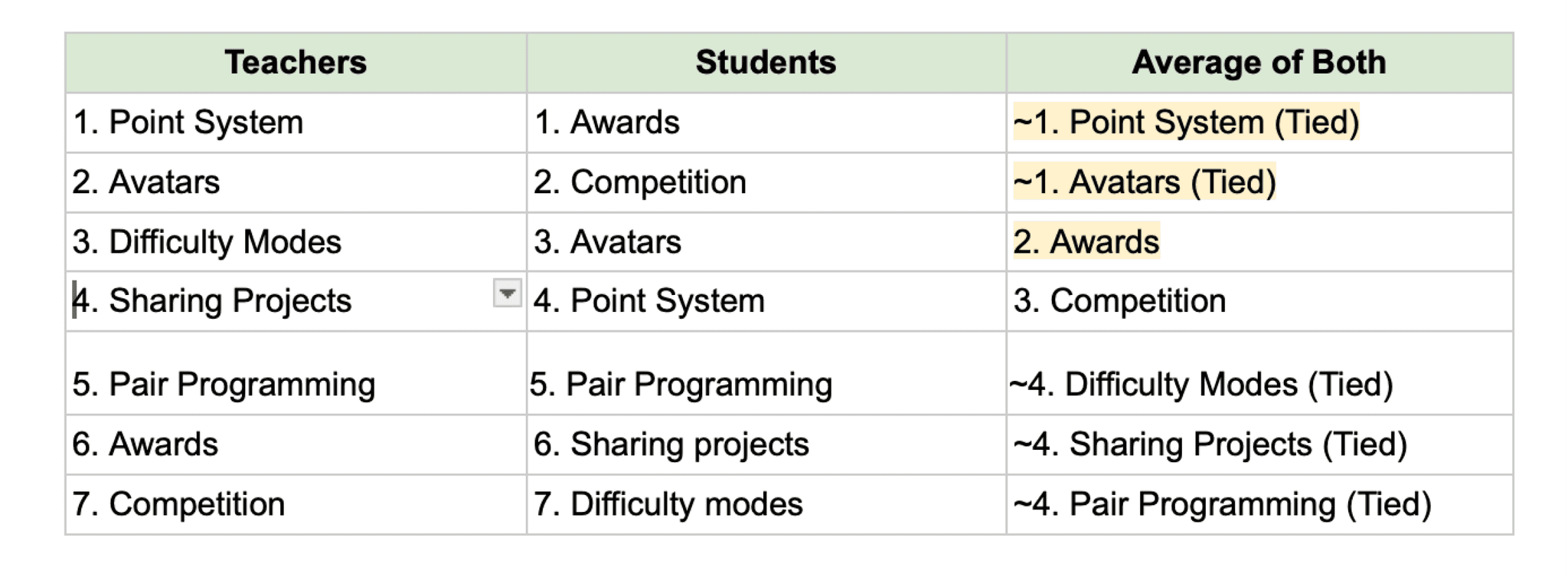
Recomendations for Future Features
Point System
Coins are credited to the students when lessons are completed. Students can turn in coins for new features, customization tools, and in-platform prizes.

Avatars
A student can have their own character to name and customize to their liking.

Awards
Teachers can hand out digital rewards to students for progressing in the platform.
Teacher Interviews
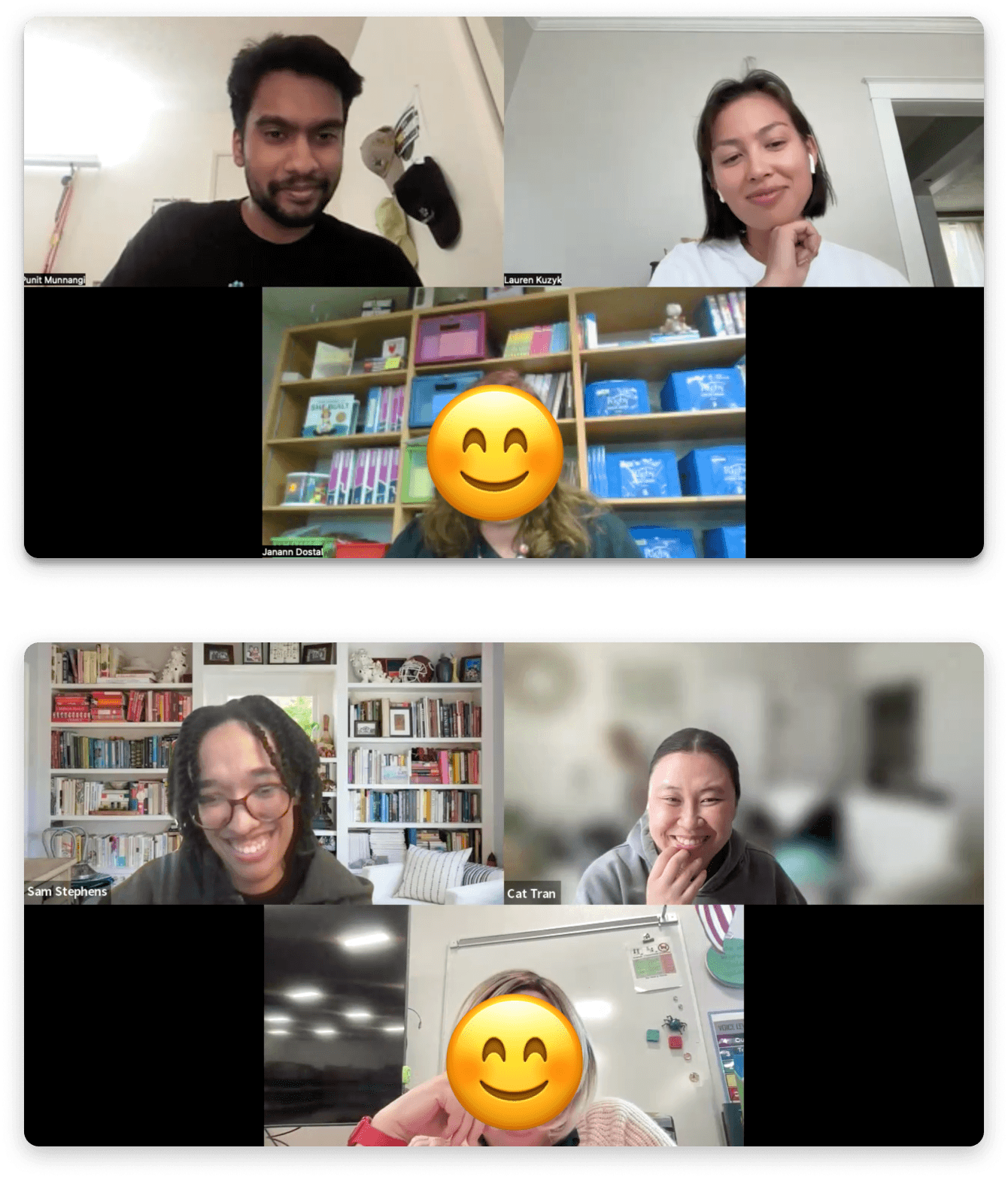
Collectively our team interviewed 12 teachers. I was able to interview 6 teachers myself and gained valuable insights into their experience with the CSF Express course as well as getting to learn about the student experience from teachers.
Main Objective:
- To learn what problems currently exist within the CSF Express Course from the point of view of the teachers and indirectly students.
- To understand how teachers structure their classes (self-paced vs teacher-driven).
Lessons and Challenges:
- Teacher availability is limited during the end of the school year/summer.
- We contacted numerous participants.
- No-shows are common. We had to reschedule in order to maintain our sample size.
- Finding new times to accommodate teachers for interviews was essential.
- UCI Protocols for participant incentives.
- We needed to follow UCI protocols to ensure proper rewards for teacher interviews.
Teacher Interviews Takeaways
The main takeaways from the teacher interview were that teachers like to start lessons self paced and then allow students to progress individually, the style of learning for students differs in that some students like structure and others like a creative learning style, and students like to see lessons applied in real life applications such as watching videos of people talking about their software careers.
Self-paced Learning
Teachers generally like to start with teaching the lesson synchronously and then they let the students go through it at their own pace. With self-paced learning, it can be difficult for teachers to manage some students that are going faster than others.
Style of Learning
Some students prefer a structured curriculum while others prefer more of a creative free play style.
Real World Interests
Students like the ability to connect lessons to real-world applications that appeal to their interests.
Student Observations
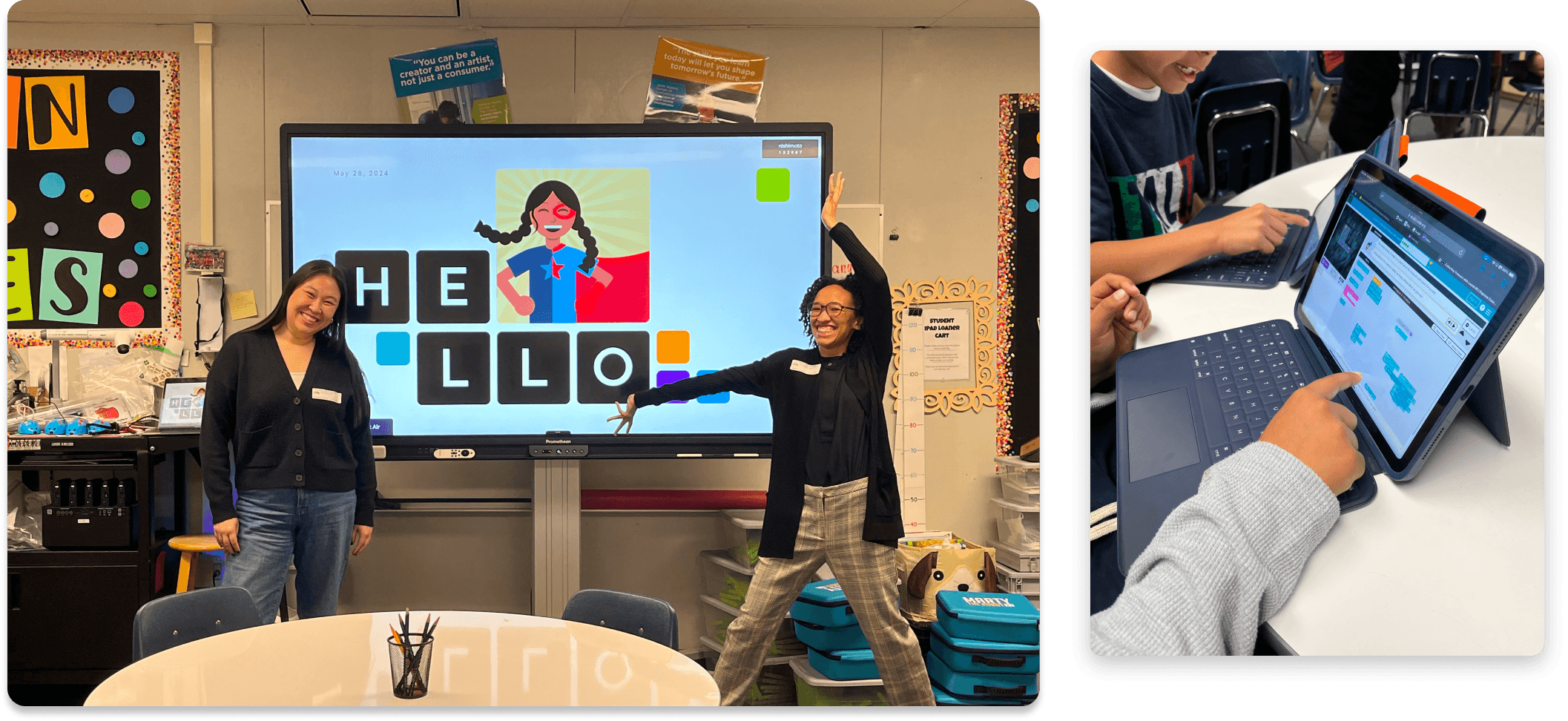
We were able to attend a school in Los Angeles for student observations, where the teacher uses Code.org to teach students how to code. We observed 125 students in grades 1-5 across 6 classrooms.
Main Objective: To learn how students interact with Code.org CSF Express modules and identify any pain points that can be addressed in future designs.
Lessons
- Kids are more adaptable to using technology than we initially expected.
- Kids are also very expressive and use a lot of hand gestures that can provide insight into how they are feeling.
Student Observations Takeaways
The student observations were fun and exciting as classrooms can swarm with enthusiasm as students find ways to solve problems on Code.org coding modules.
The trends we noticed were younger students are more collaborative than older students, coding blocks do not always feel intuitive, students like to skip lessons if they became too challenging, and younger students love viewing videos.
Age Trends
Younger students tend to be much more collaborative than the older students.
Coding Blocks
Coding blocks are not always intuitive for students to use.
Fast-Forward
Students generally tend to skip the lessons if possible when they find them to be too challenging.
Video Engagement
Younger students also tend to be more engaged with the videos.
Persona Survey
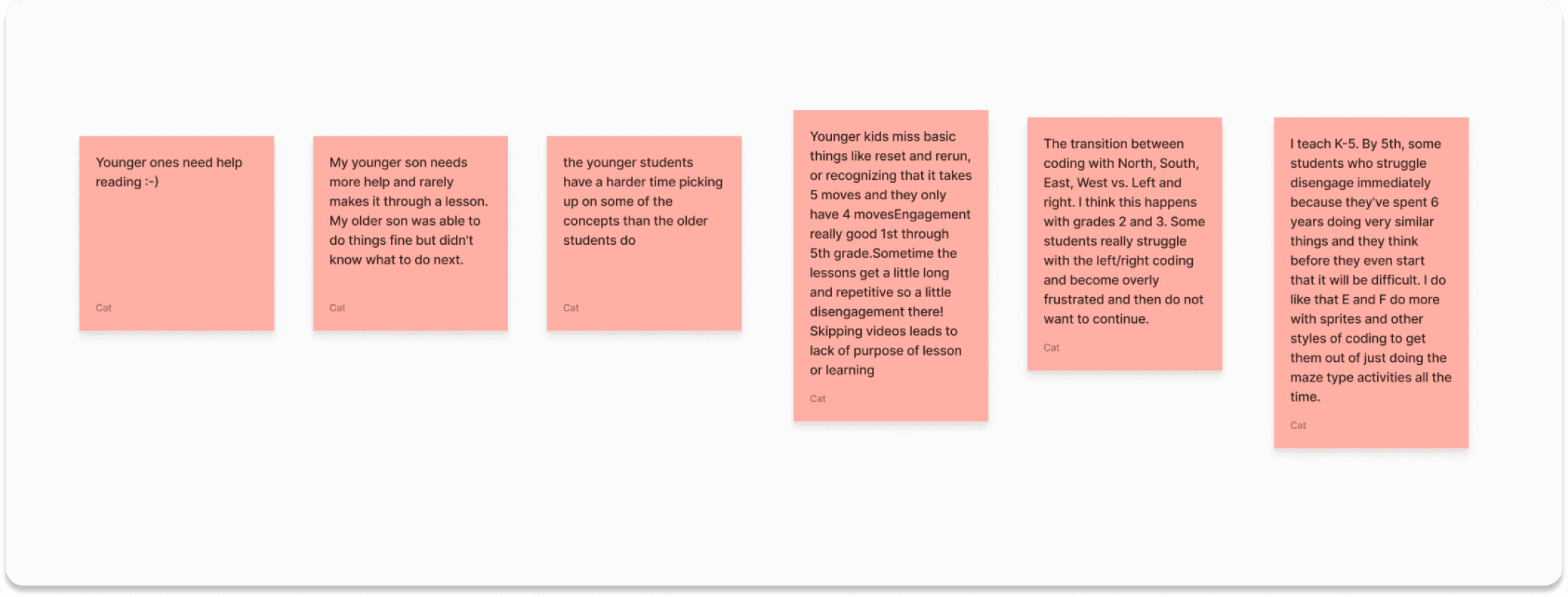
To close off the user evaluations, our team decided to conduct a persona survey before creating personas for the various student types who use the Code.org platform. The personas will help the Code.org team design better tailored solutions in the future for these student types.
Main Objective:
- To uncover any unique characteristics of different students that have not been highlighted in previous research, which should be considered in our persona development.
- To validate observed differences between students by obtaining teachers' perspectives.
Lessons
- When school is out, contacting and recruiting teachers is challenging.
- We worked hard to contact numerous teachers.
- Working collectively as a group among our team members and trading perspectives helps generate rich and unbiased research insights.
Persona Survey Takeaways
The persona survey helped us consider aspects for the students that we did not pay much attention to before. Firstly, special needs students would need their coding tasks broken down more simply. Second, Text-to-voice can be a great benefit for pre-readers and non-native English speaking students. Finally, boys like to rush through lessons in comparison to girls, who may be less interested in coding.
Special Needs
Students with special needs may need steps for coding tasks broken down more easily.
Text-to-Voice
Text-to-voice will be beneficial for pre-readers and non-native English speaking students.
Gender Trends
Boys will sometimes rush and go faster through the lessons compared to girls who may be less interested.
Final Deliverables
Moving on to final deliverables for the client, we decided it was best to create user personas and customer journey maps. The reasoning for this was to allow our client to better understand their student types so they can design better tailored e-learning solutions.
Personas

We created 7 student persona types.
Main Objective:
- Integrate all of the research findings and insights into the student personas which reflect the diverse needs of students using Code.org.
Lessons
- We needed to blend insights across various personas while ensuring they still remained believable.
Persona Sample
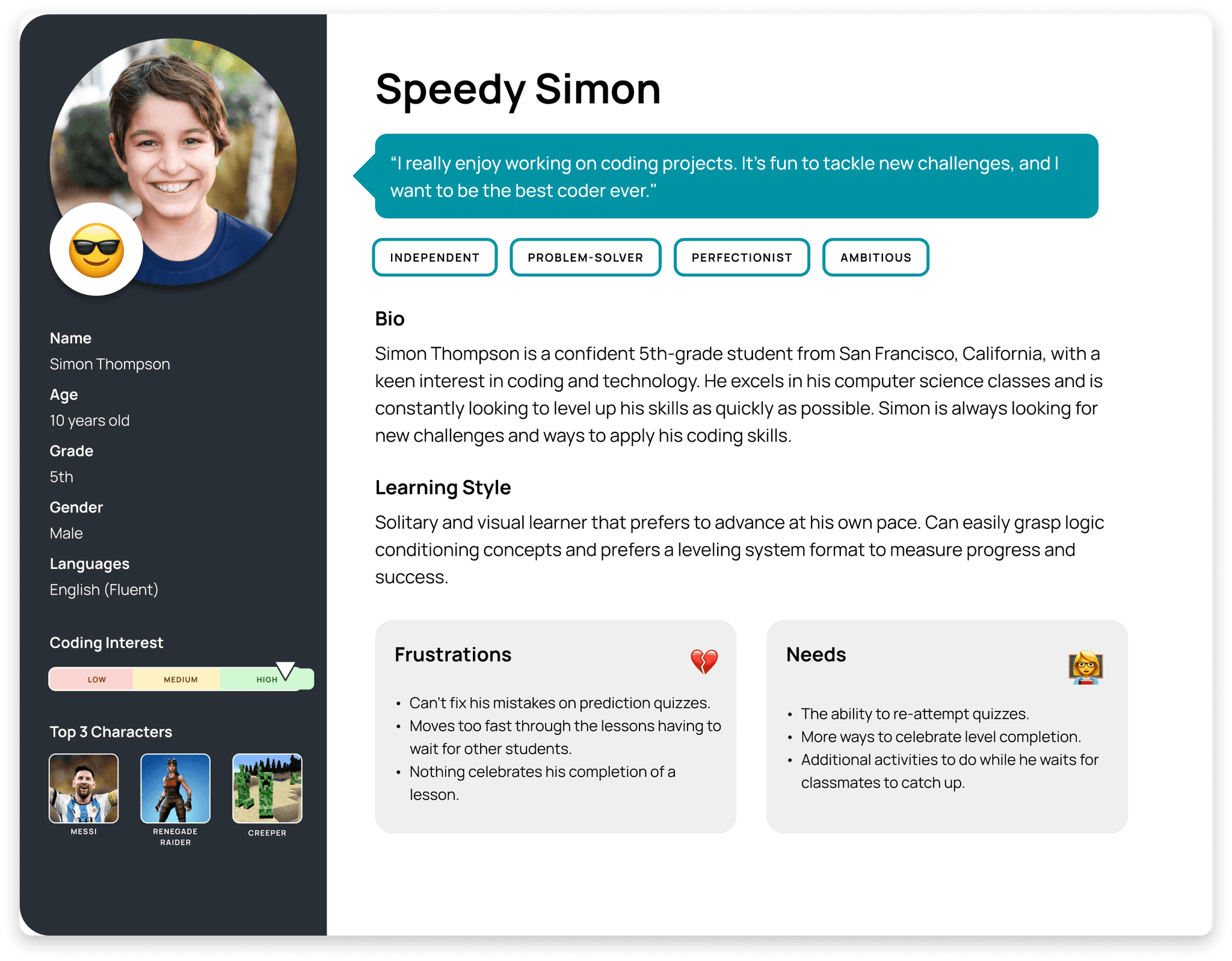
Here's an example of one of our personas. This is Speedy Simon, our superuser of the platform. He's an independent problem solver with high ambitions. He moves through code.org with confidence and a high level of interest for computer science and aims for perfection.
On our left we have metrics like age, grade, gender, language proficiency, coding interest and characters of interest.
We've included the learning style which in Simon's case is a solitary and visual learner that prefers to advance at his own pace
Looking at some of his frustrations, he is not able to fix mistakes on prediction quizzes and has to wait for other students if he moves too fast. In terms of his needs he wants to ability to retake quizzes and wants more ways to celebrate level completion.
Persona Gallery
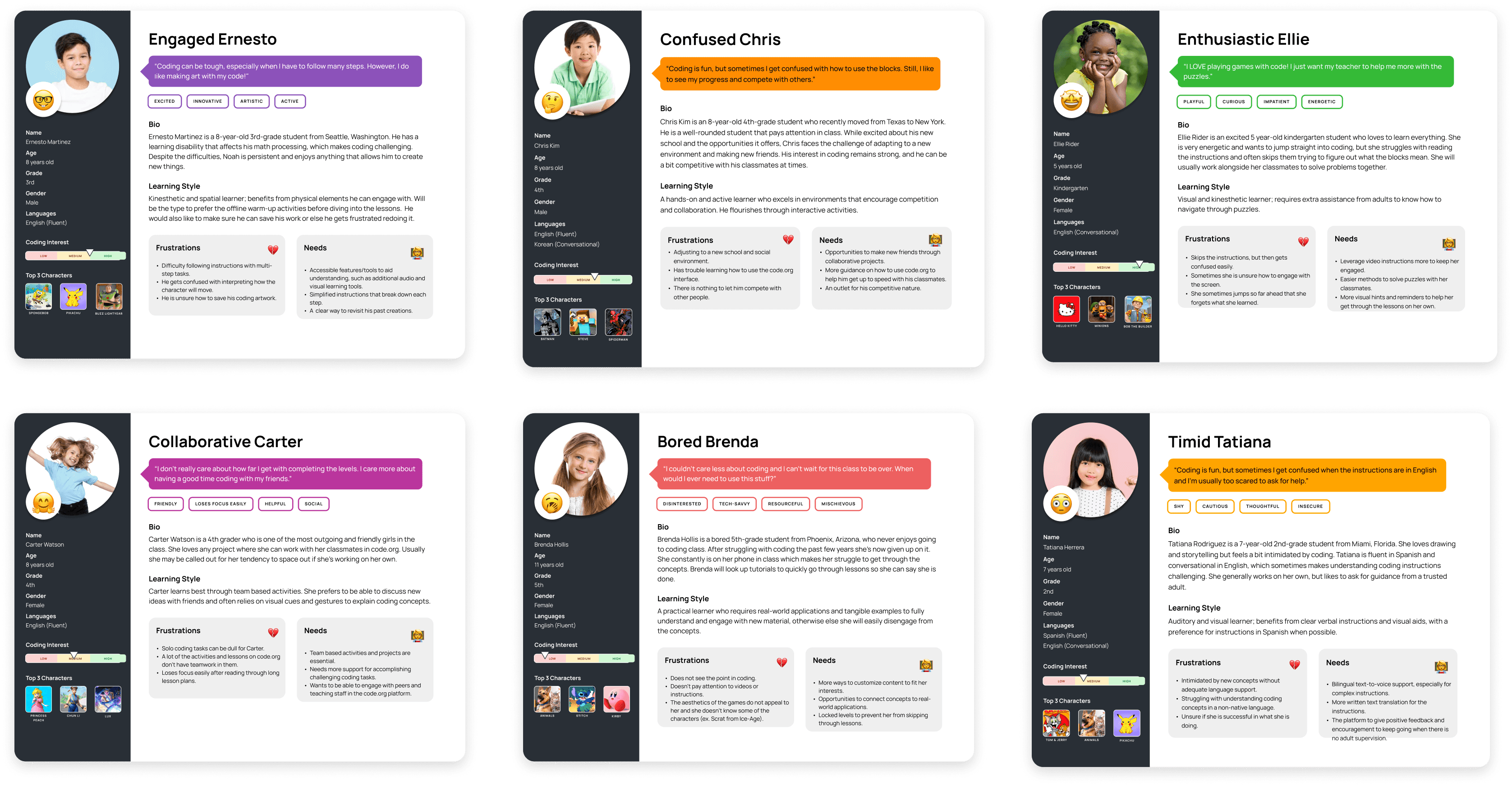
These are the rest of the user personas which follow the same template.
Customer Journey Maps
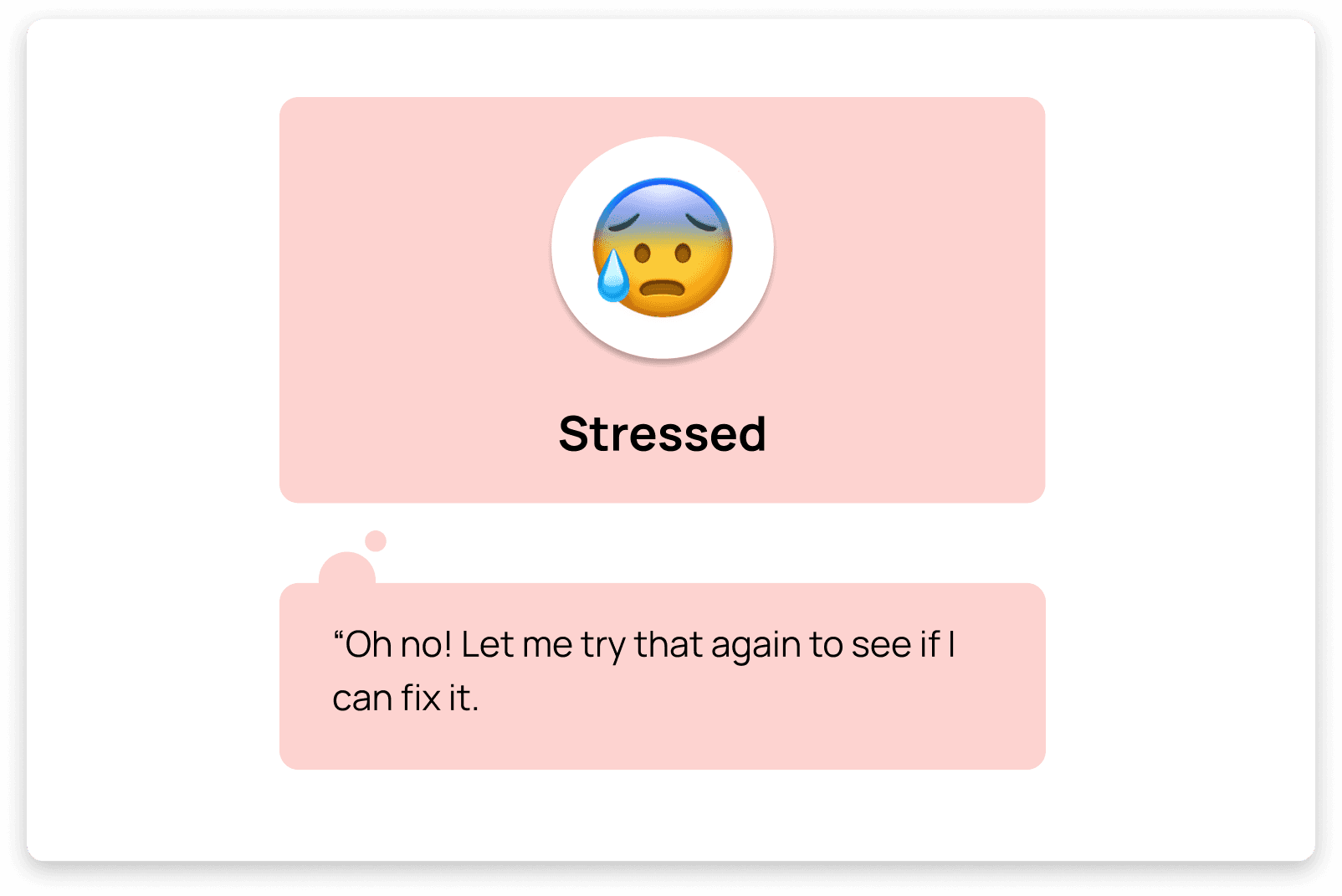
We created 7 customer journey maps to follow each of our personas. A CJM does a great job depicting challenges students will face while they are learning through the Code.org code modules/lessons.
Main Objective:
- Create and illustrate a narrative that demonstrates each persona’s pain points going through a lesson in the code.org platform.
Lessons
- Understanding the context (code.org platform lesson plans) was crucial in developing these journey maps.
- It was essential to consider personas both individually and in group interactions.
CJM Sample
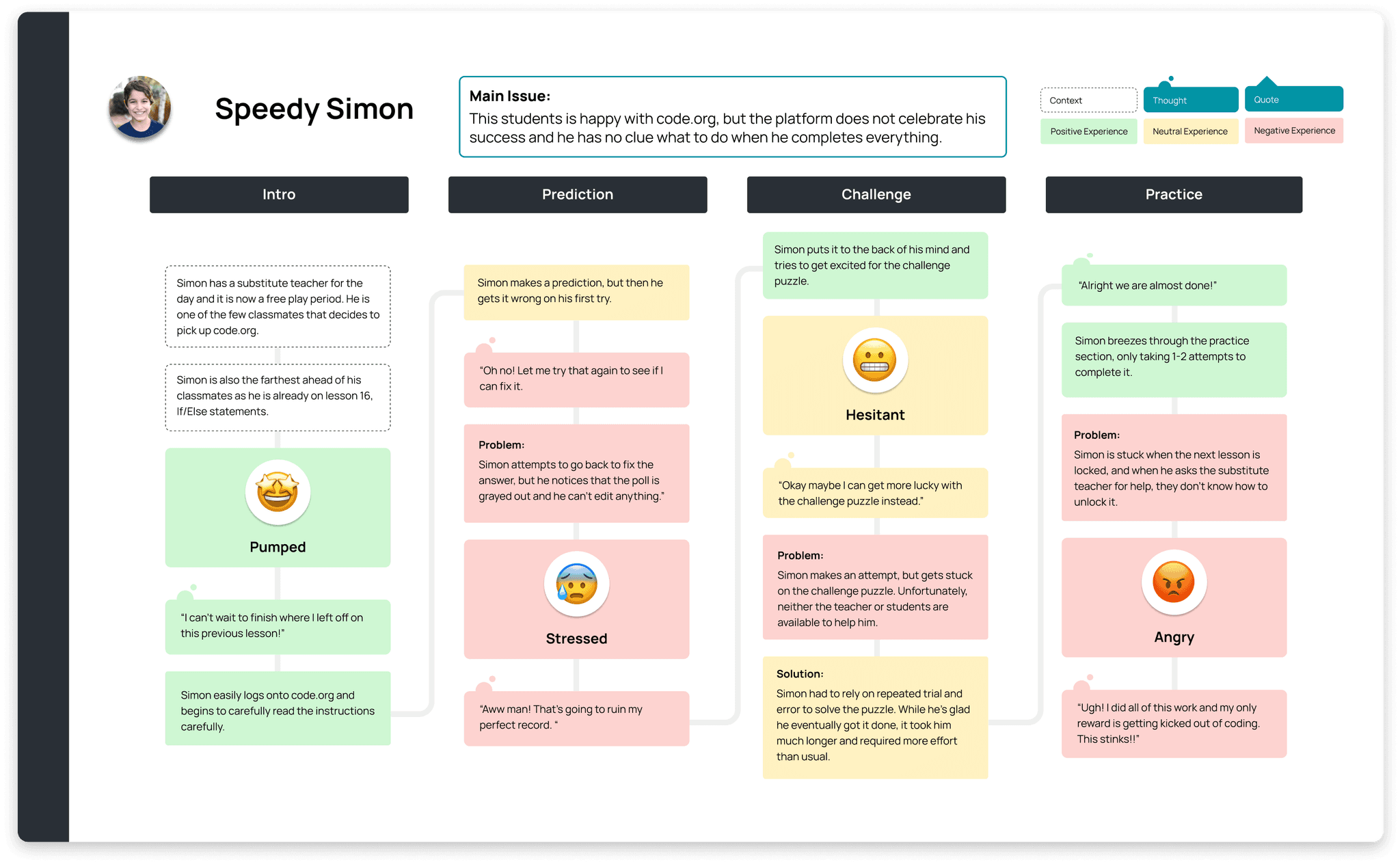
Here's an example that focuses on the main issue stated up top: This student is happy with Code.org but the platform does not celebrate his success and he has no indication or direction upon completing his lessons.
You'll see this process starts with context showing that Simon has a substitute teacher and chose code.org to work on during free play time. As he moves into prediction exercises, challenges and practice modules, he rushes through the lesson, making a silly mistake and is unable to correct his work. His experience start positive and has some difficulties leaving him feeling stressed, hesitant, and finally angry that cannot proceed as the level is locked.
Detailed CJM Sample
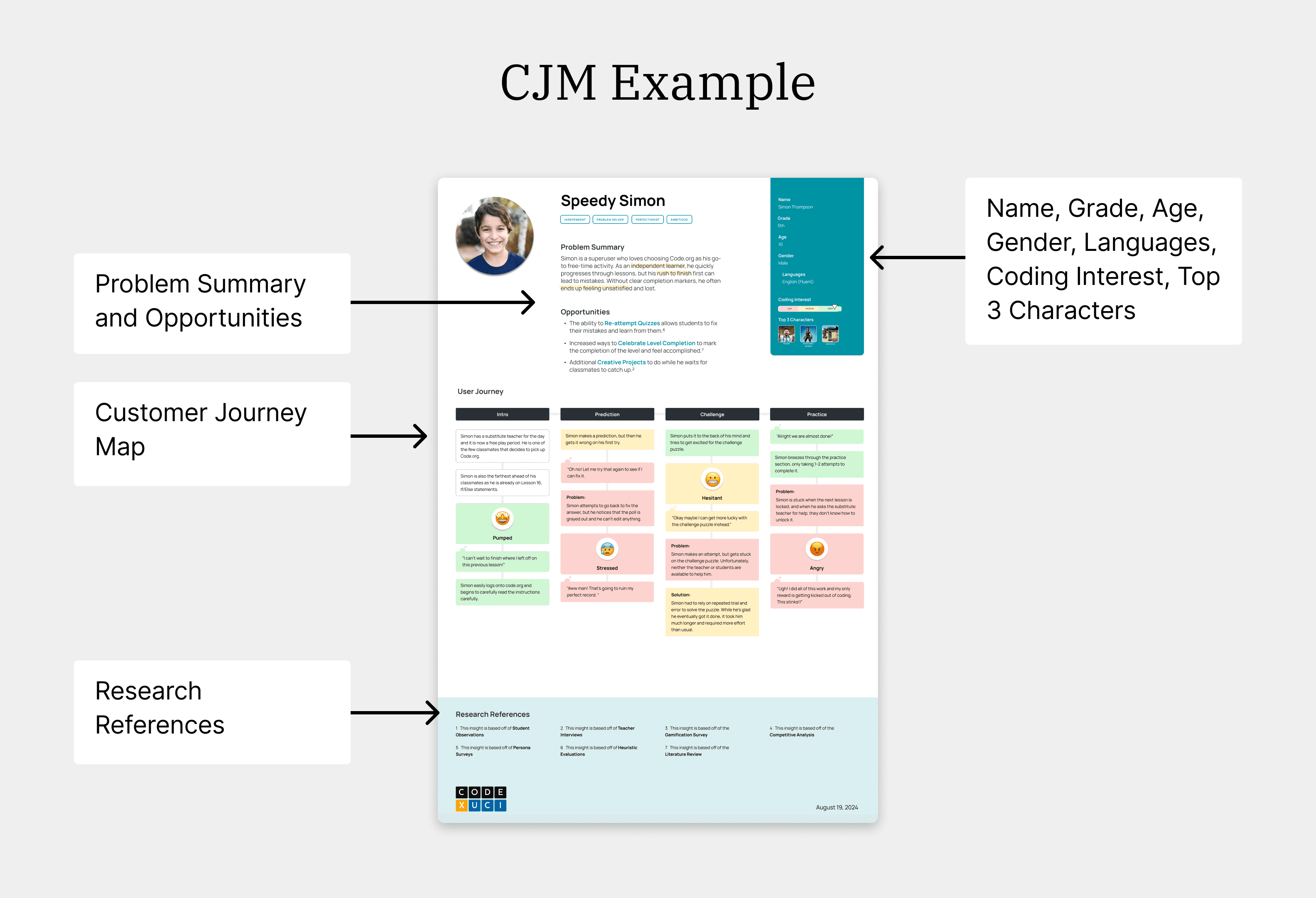
The detailed CJM includes the Customer Journey Map along with other details relevant to the user persona.
Above, we can see that we have added the problem summary and opportunities on the top along with the student's name, grade, age, gender, languages, coding interest, and top 3 video game characters. The reasoning for this is to attain a better understanding of the student type before reading into their customer journey on Code.org lesson plans
On the bottom are research references which are what we base our insights off of such as heuristic evaluation, teacher interviews, and student surveys.
CJM Gallery
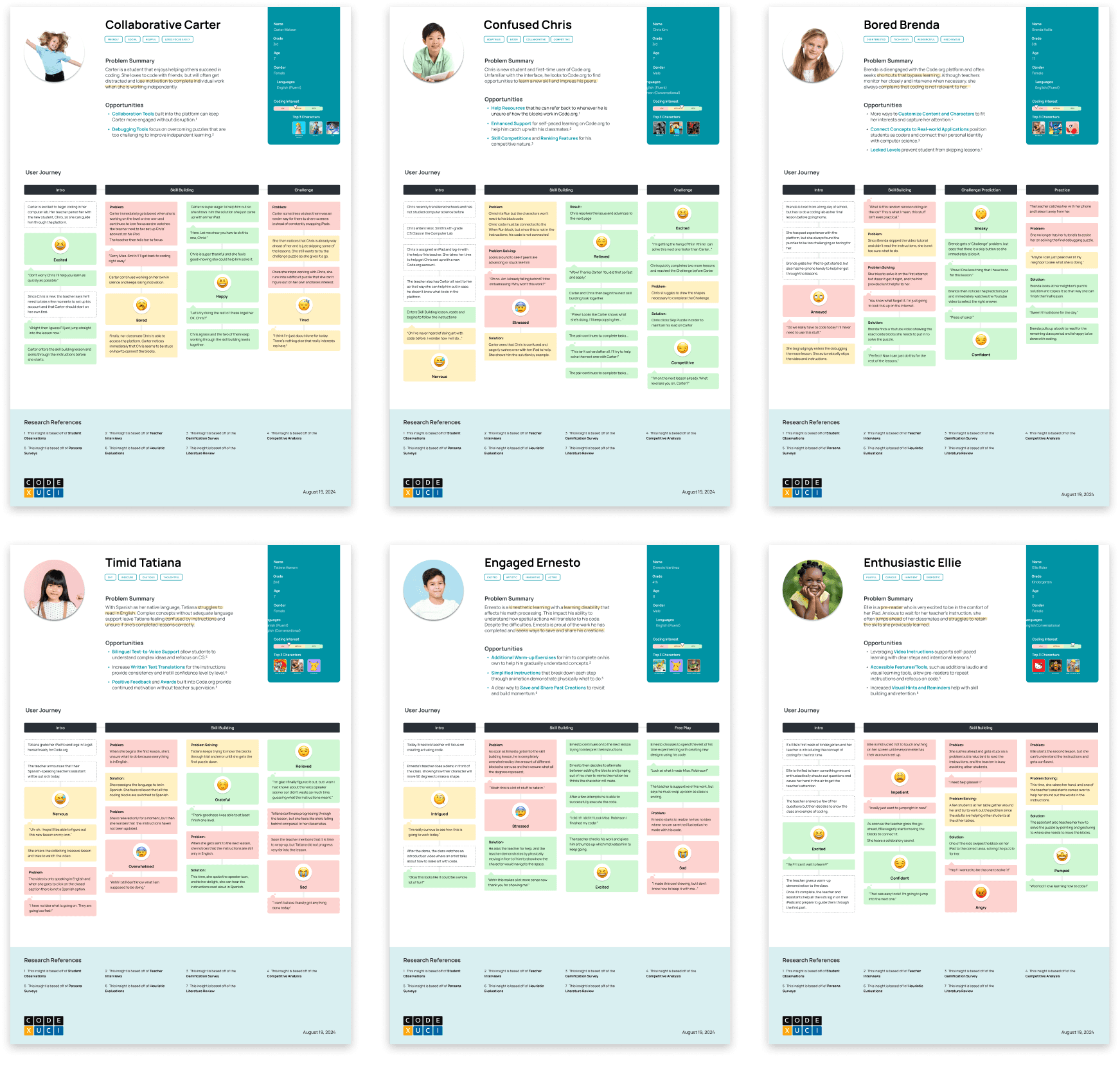
These are the rest of the customer journey maps which we have created for each of our 7 personas.
Conclusion
We presented our work to a team of 27 at Code.org's bi-weekly Curriculum meeting.
Client Response: The team was pleased with our final presentation and deliverables, and plan to utilize them to drive future iterations of the CSF express course.
Next Steps: Code.org was provided with 4 different examples of how to apply our work.
- Making Product Decisions
- Feature Prioritization
- Planning for Product Launches
- Tailoring Content Messaging
My final message: I’m thrilled to have collaborated with a talented team with diverse skills, combining both research and design expertise to gain a comprehensive perspective on this project.
Go to top