Leveling
Up Engagement
at Shades with
Gamification
Increasing engagement and excitement for using the Shades
app with the ideation and implementation of Shades gaming
features.
Project Details
What is Shades?
Shades brings you daily bites of news and culture, presented from multiple points of view so you can see the whole picture quickly. We curate and summarize POVs on the issues of the day, from news and politics to TikTok trends, relationship advice, sports, pop culture, and everything in between.
What is their vision?
Shades aims to provide quick and easy access to news and media content, allowing users to read articles in a simple and engaging format. This approach helps users stay updated with the latest news effortlessly.
My Roles at Shades
Product Design
UX Research / UX Design
UI Design
Timeline
Ideation: 1 week
Wireframes: 1 week
High-fidelity mockups and prototype: 1 week
3 weeks per gaming feature, 6 weeks total
Problem Statement
Shades was facing a drop in user engagement with their mobile app.
The founder wanted to incorporate some new and exciting gamification features to get users to read articles and play games.
Tasks
I needed to come up with some captivating game ideas to increase user engagement on the Shades mobile app.
Ideation
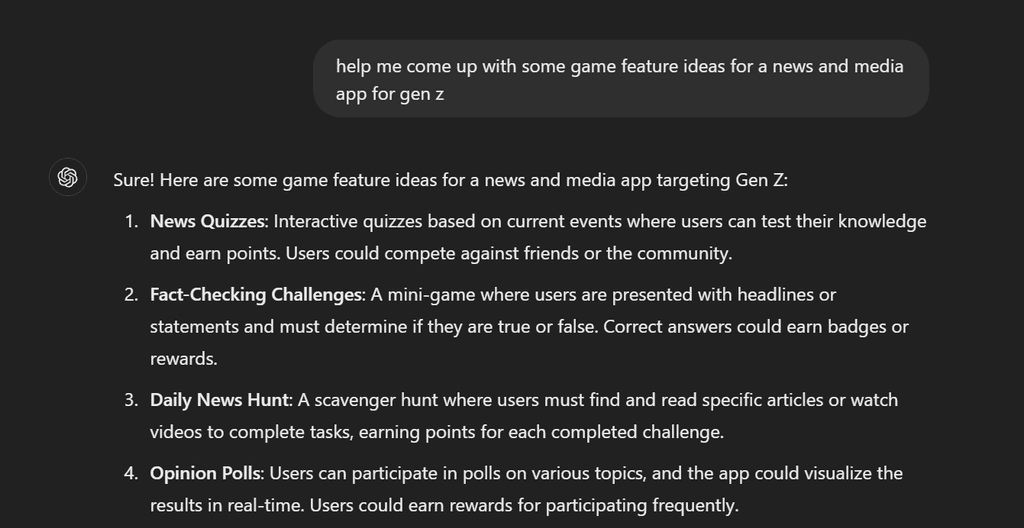
In order to come up with ideas for gaming features for Shades, I used genAI tools like chatGPT. There were plenty of ideas but I condensed it to 4 to prevent users from feeling overwhelmed with choices in surveys.
- News Quizzes: Users can take a short and engaging quiz after reading an article to test their knowledge and earn prizes over time by accumulating digital currency.
- Opinion Polls: Users can participate in polls on various article topics and see results to see what others opinions are.
- Meme Creation Tool: Users can create memes based on news stories and vote for top memes.
- User generated content: Users can create their own content whether that is a video or article, and the community of Shades can vote for top content.
Selection
I conducted a survey with 10 participants who are active users of Shades. I had them select 2 of their favorite options from the list of 4 game ideas. Here were the top choices.
- News Quizzes: Users can take a short and engaging quiz after reading an article to test their knowledge and earn prizes over time by accumulating digital currency.
- Opinion Polls: Users can participate in polls on various topics and see results to see what others opinions are.
- Meme Creation Tool: Users can create memes based on news stories and vote for top memes.
- User generated content: Users can create their own content whether that is a video or article, and the community of Shades can vote for top content.


Shades Gaming Features Requests
My project manager requested that I work on developing game mechanics and rules for my top game ideas.
She also wanted me to come up with a color palette and font selection for the game as well as a design system.
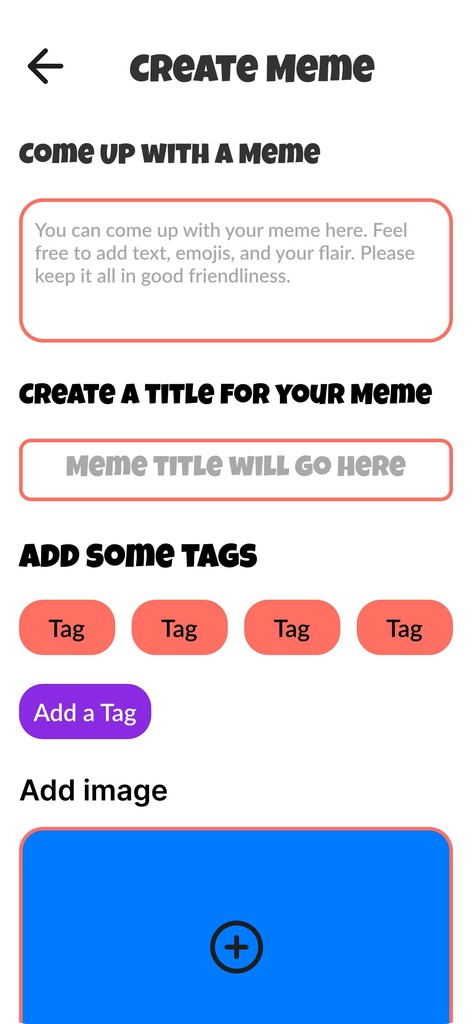
Solidifying the Game Rules and Mechanics for Meme Creation Tool
Here is how my meme creation game works.
How it works: Users can create memes based on trending news stories. Users will have the option to vote for their favorite memes, which can be displayed in the hall of memes. Everyone's memes will be made available for viewing, but the top memes will have their own designated section.
Goal: The goal for this game is to increase participation in reading articles and to have some fun with creating memes to share with the Shades community.
Design System Choices
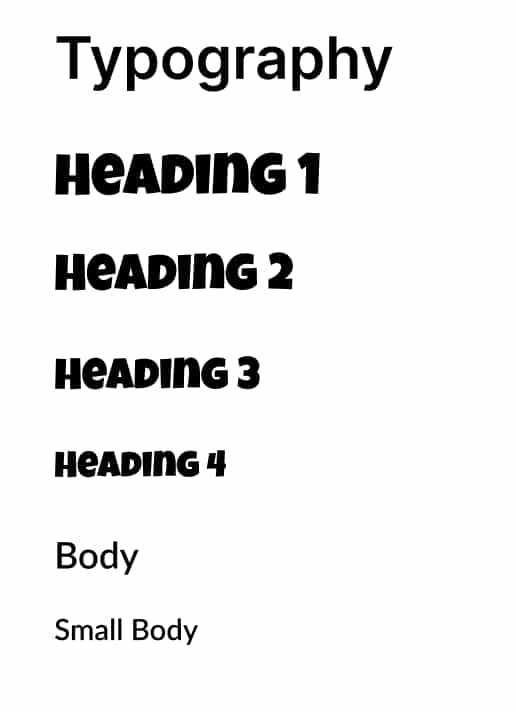
Typography: To begin the process of creating my design system, I worked with the typography to select headings and body text. I wanted to go for a fun and playful theme since the game's objective is to create memes.
For the heading I went with Luckiest Guy to ensure it stands out and captures the user's attention. For the body text, I chose Lato to make sure users can easily read through longer blocks of body text.
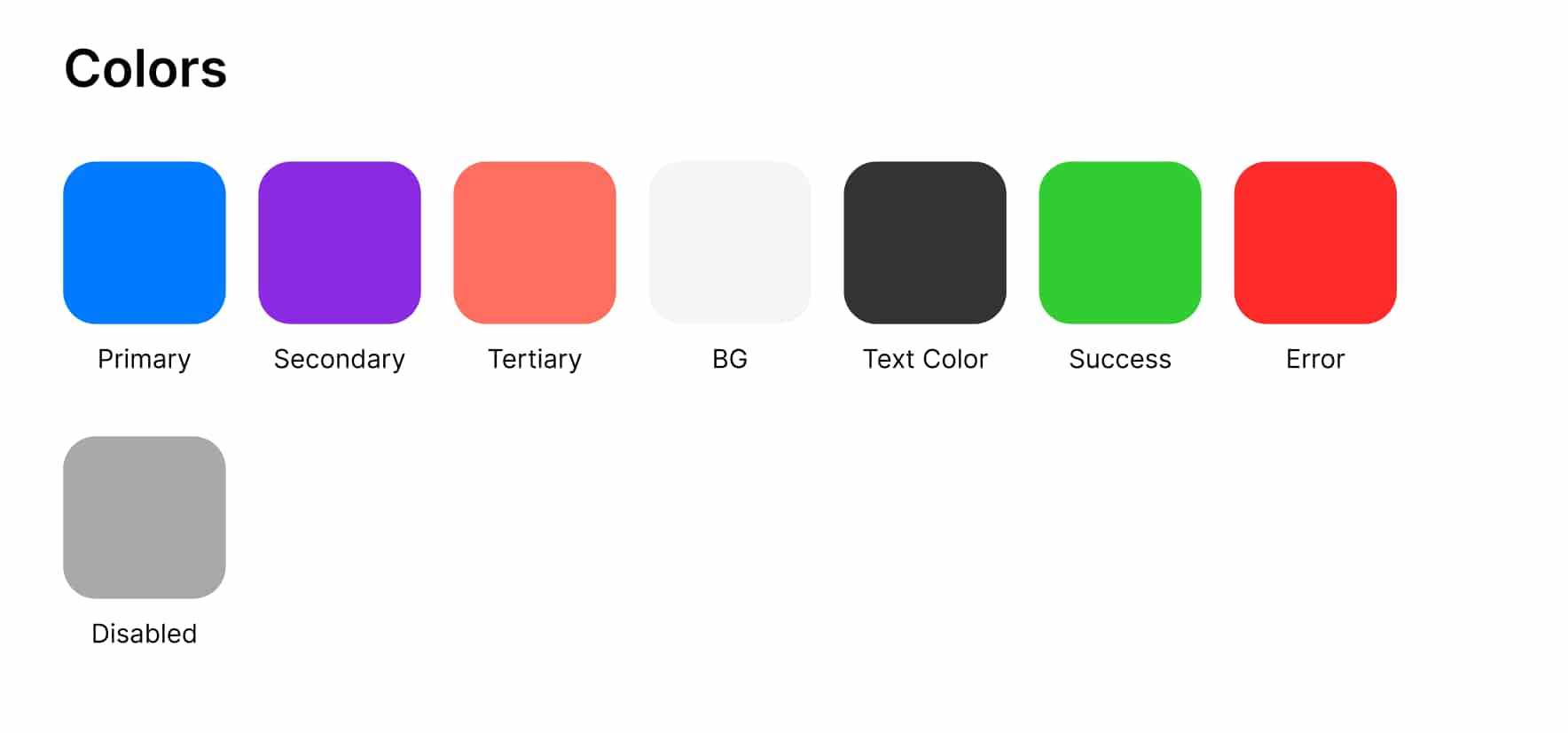
Colors: In order to get ideas for my color palette, I used chatGPT to help me come up with a color scheme for a "meme creation game for a news and media app for gen z". I was very impressed with the color choices the AI tool showed me. I went with a color scheme which captures the joy of youth for the gen z audience as well as a game like theme to convey fun and excitement.
The primary color is an electric blue, the secondary color is a darker purple, and the tertiary color is an orange coral. To ensure these colors stood out, I selected a light grey background color. My text color is a dark grey for easy readability. I also have a green success color state and a red error color state. Finally, I have a disabled color state which is grey.
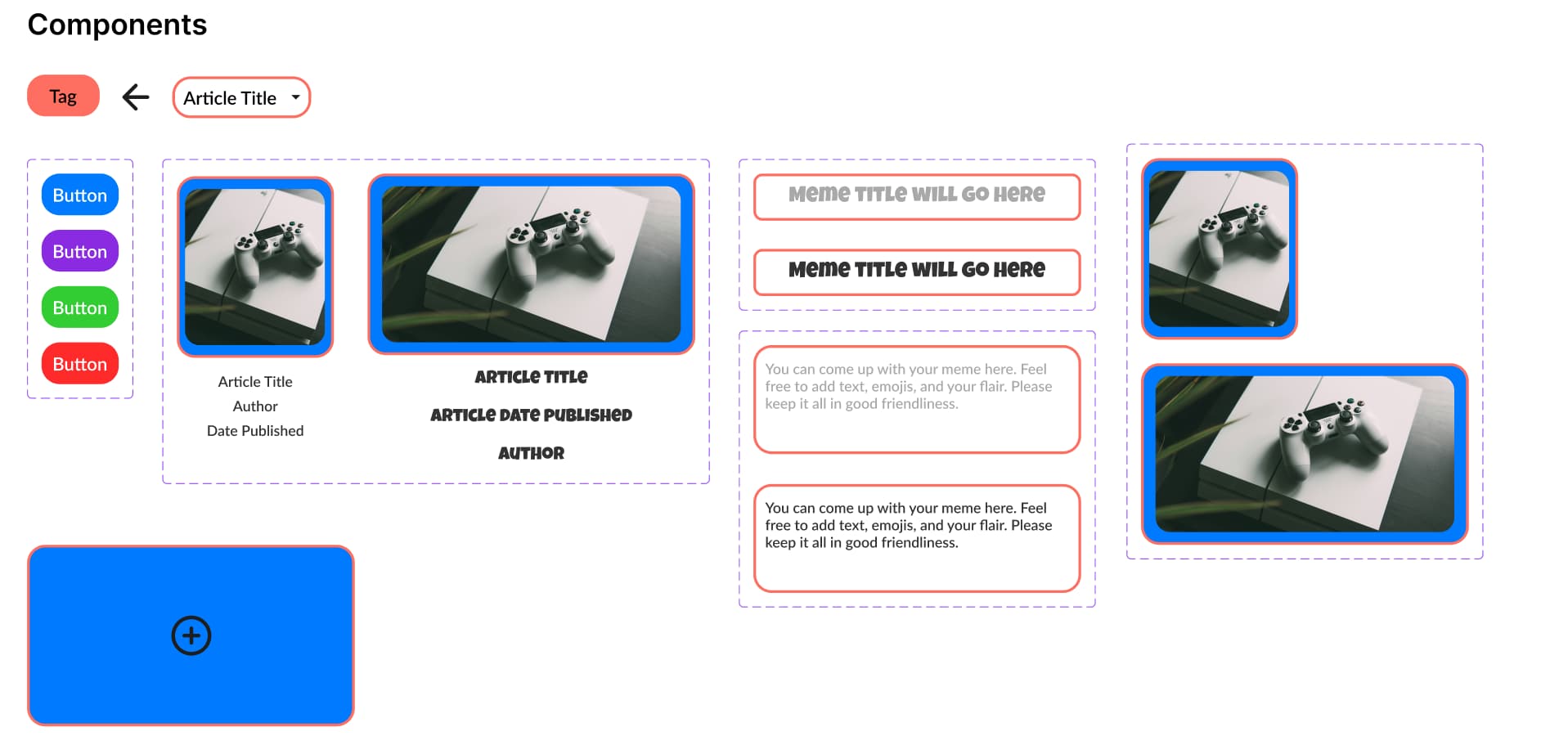
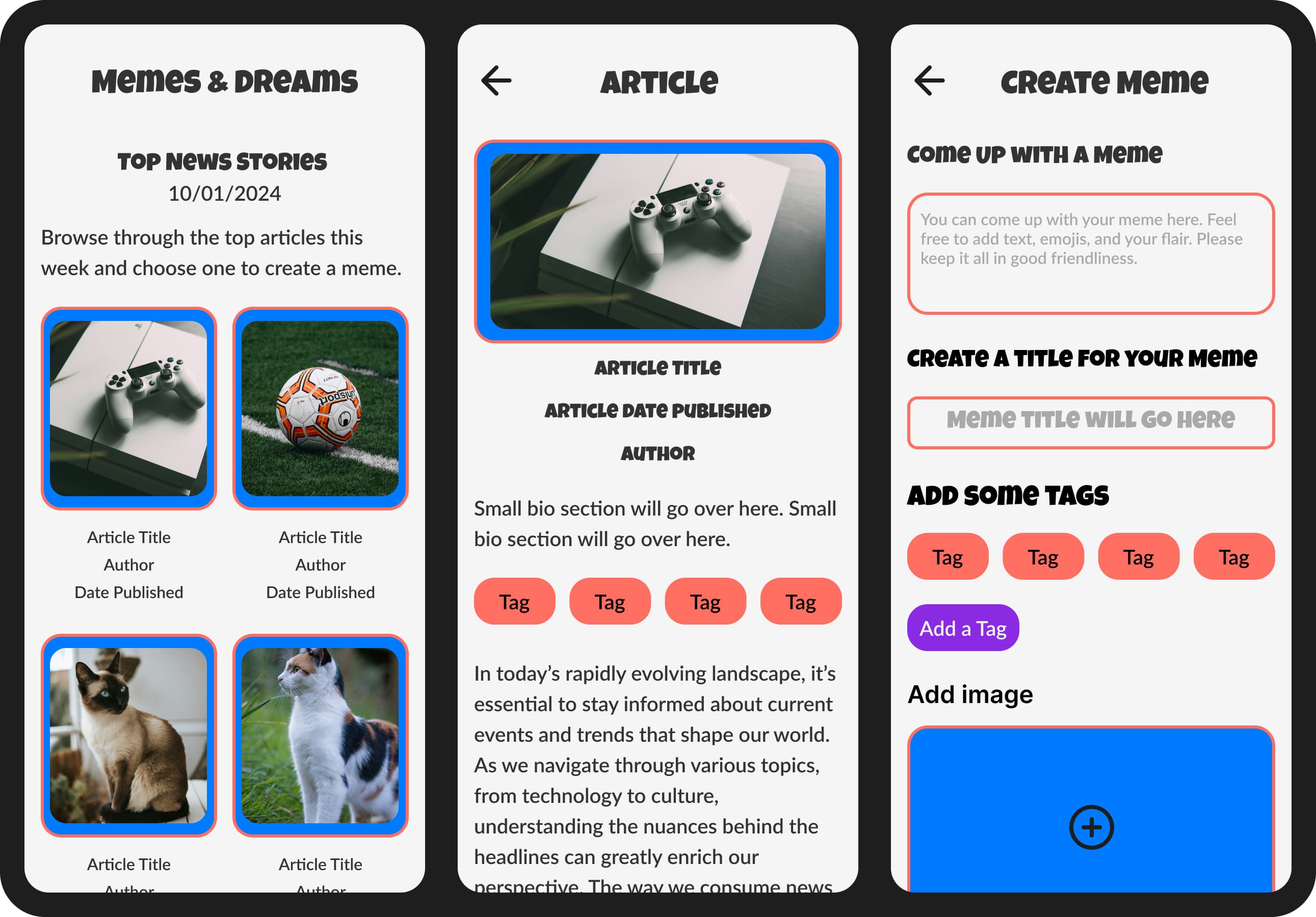
Components: In order to create components for my design system, I first created a user flow to capture the screens needed for the meme creation tool and from there I drafted some digital wireframes showing the process of reading articles, creating memes, and sharing it for others to view. With the wireframes, I was able to create components for my designs such as articles, tags, and buttons. I will showcase the user flow and wireframes directly after this section.
Here are all of the components I created:
1. Tag - Provides additional context about a meme.
2. Left arrow icon - Allows users to navigate to previous screens.
3. Article dropdown - Allows users to select from different articles to filter.
4. Button - Used for call to actions.
5. Article - An article for users to read.
6. Image Upload - Allows users to upload images.
7. Meme Title - A title for a meme.
8. Meme Text - A body text area for a meme.
9. Image - Images for an article.
Meme Creation Tool User Flow and
Low-Fidelity Wireframes/Prototype
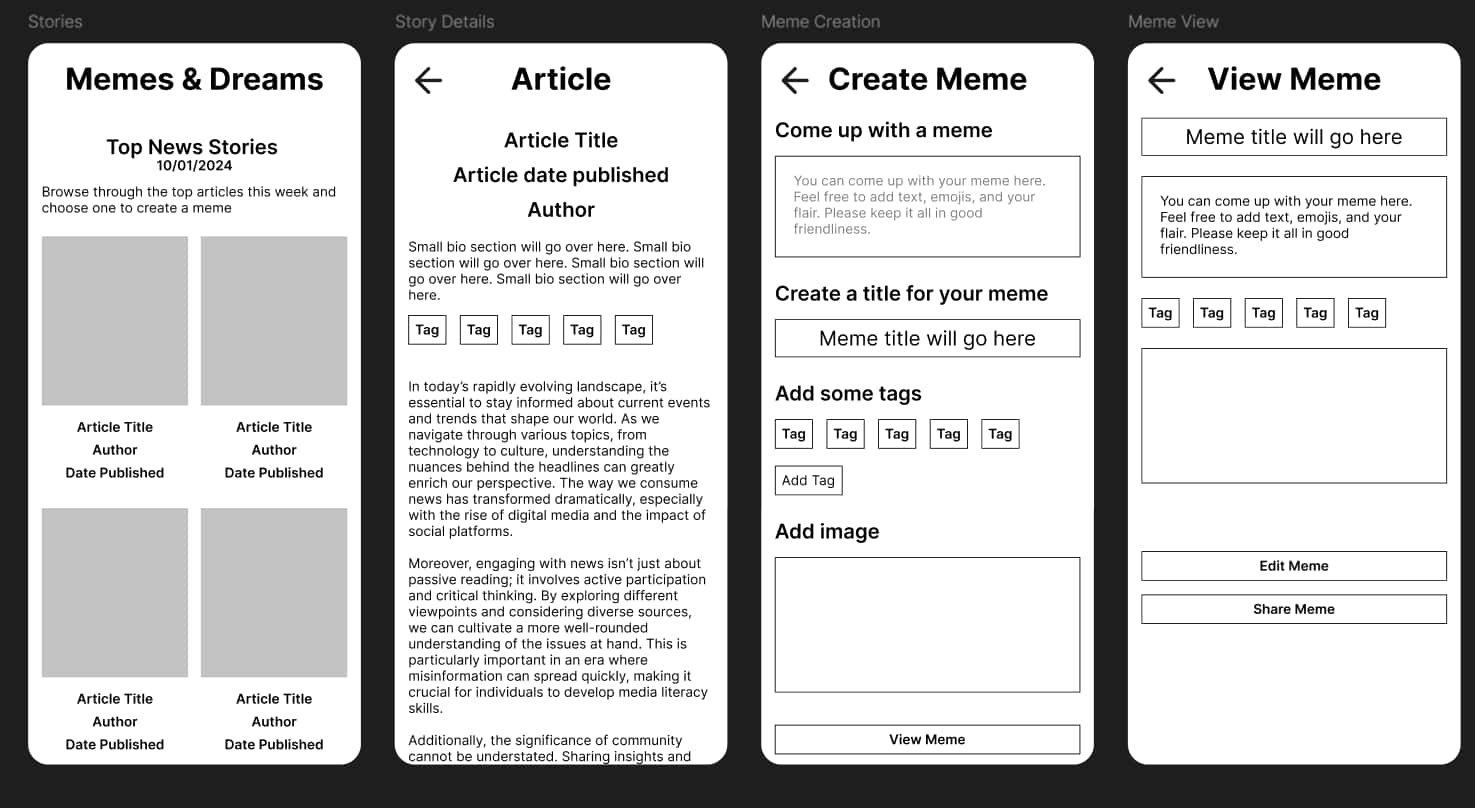
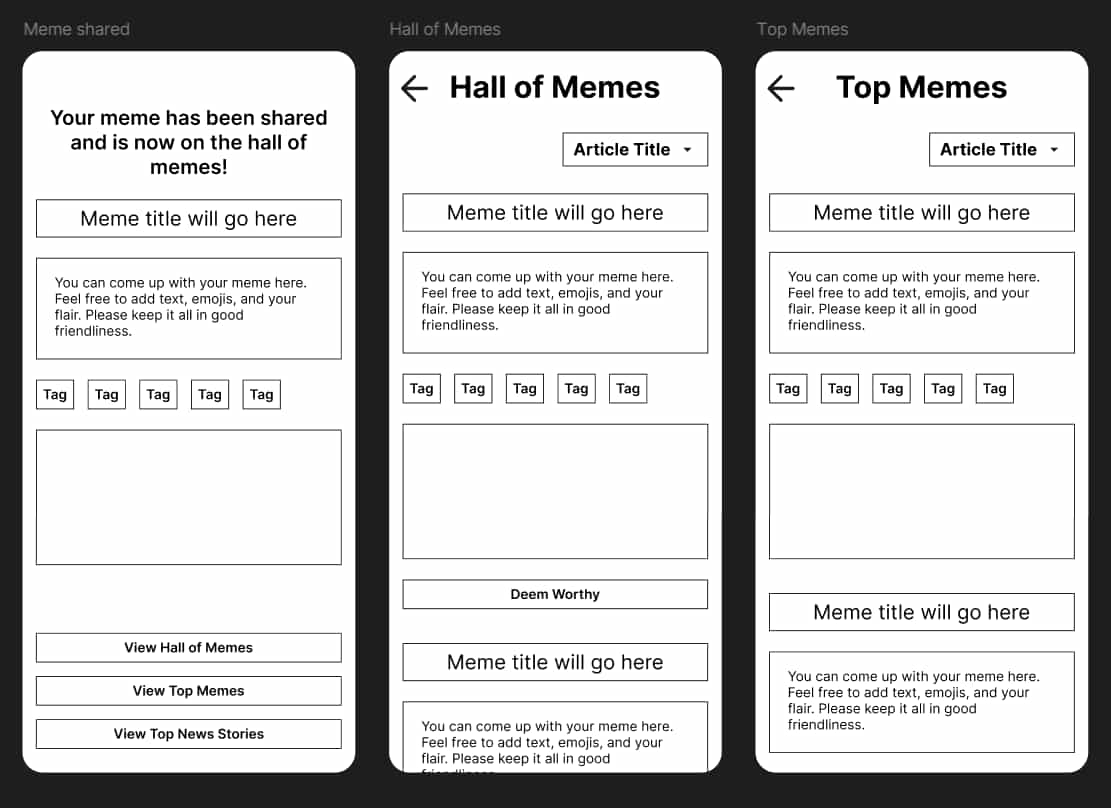
I wanted to come up with a name for my meme creation game, so I used chatGPT to help me ideate and I ended up using Memes and Dreams, since it encapsulates the joy felt when people create and share memes.
For the user flow, I made sure to capture the core steps from my game idea:
1. Start on the main page to see trending news stories. User can select one of interest.
2. User can read through the article.
3. User navigates to a meme creation area. There is a text box to create the meme. The user can give tags as well and create a title. They can also choose an image from their phone camera reels. This will all be data for the meme.
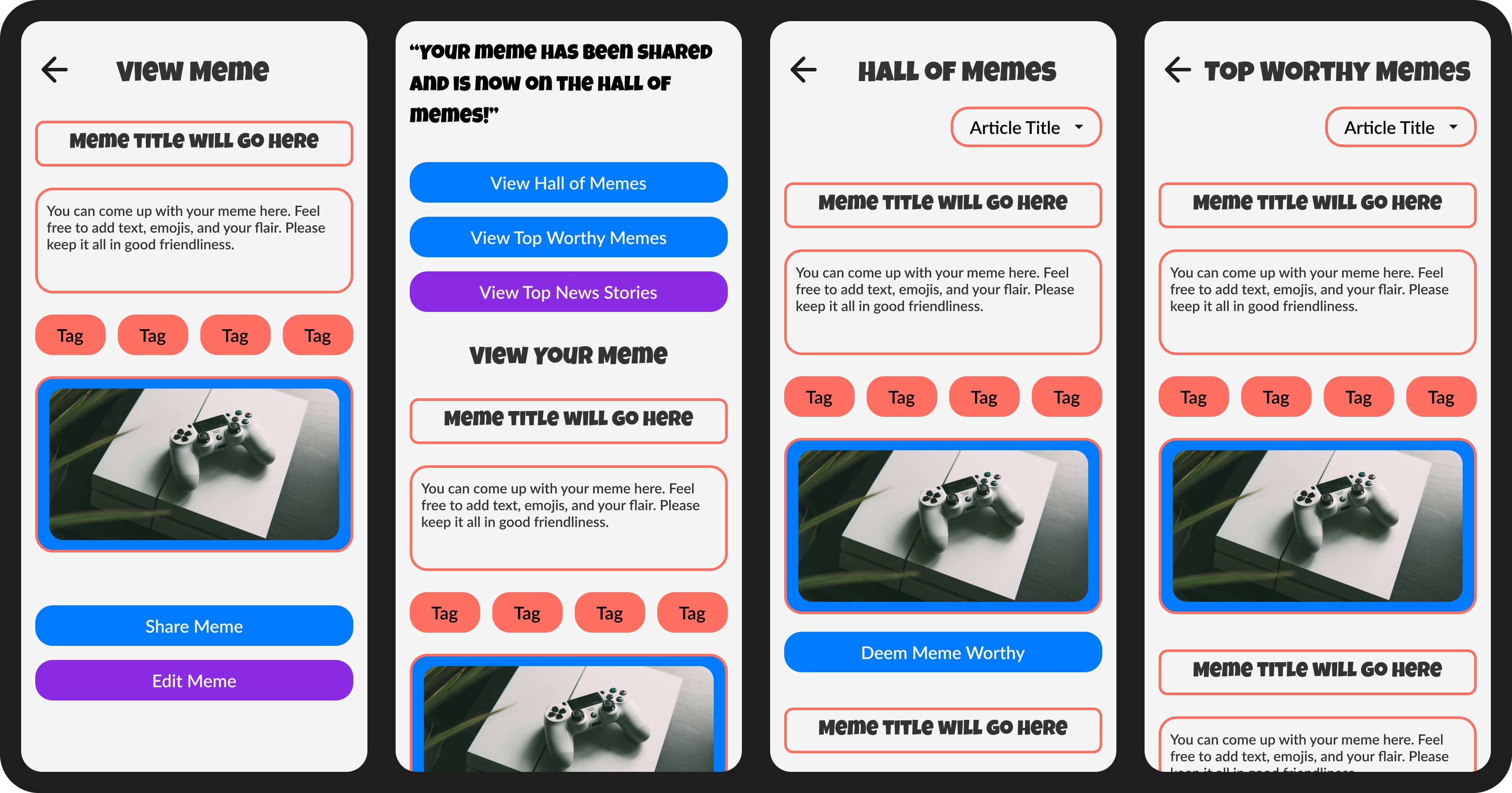
4. The user then goes to a screen where they can see how their meme looks and edits details as needed.
5. The user can share the meme.
6. The user is able to view a feed with a bunch of memes from the community, filtered by article. They can select ones to deem “worthy”.
7. Top 5 memes from each article will be display on the leaderboard of memes, separated by article.
Link to digital wireframes prototype
Usability Tests
I wanted to get some feedback on my low-fidelity wireframes and prototype, so I conducted usability tests with 3 Shades users and this was their feedback…
Story Details Screen
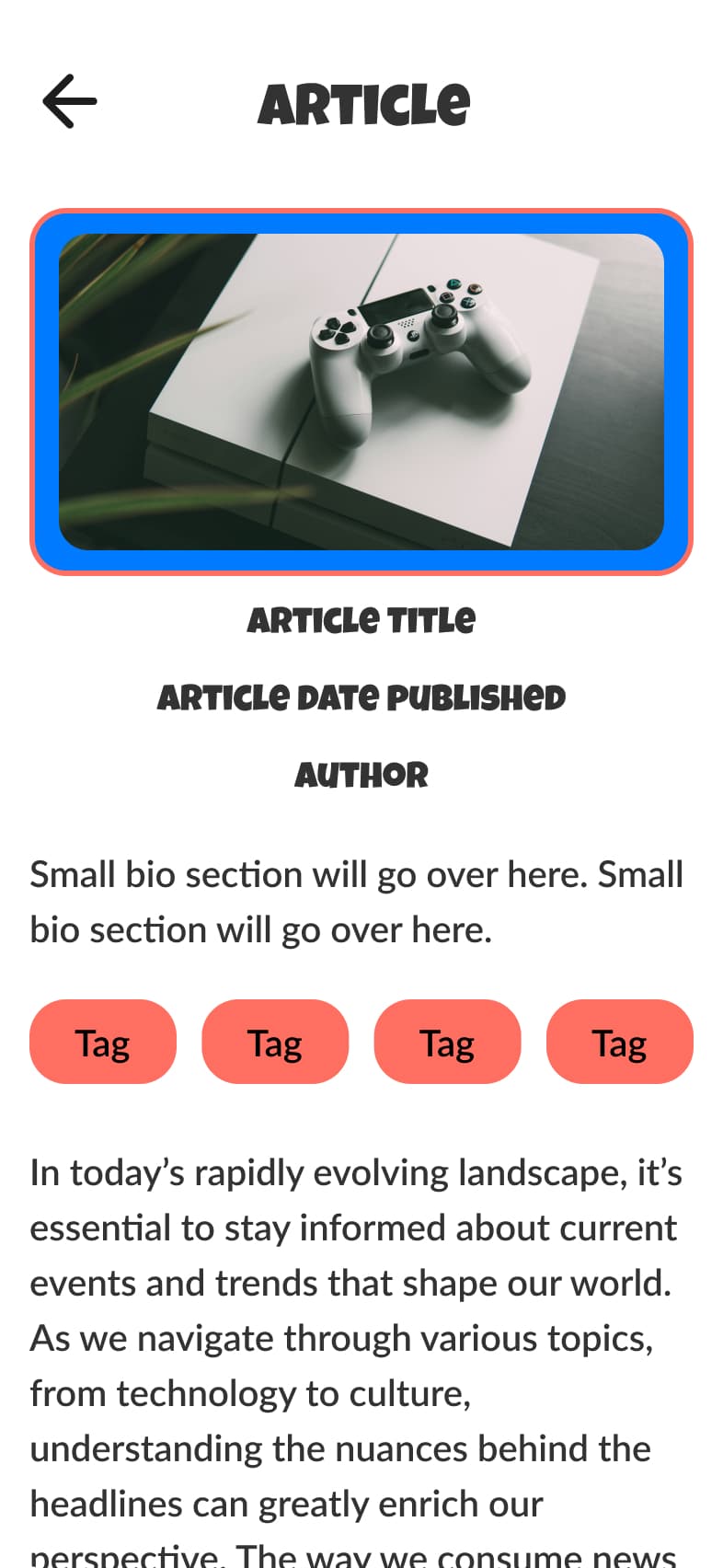
- Make sure that there is an image for the story details for better consistency of article viewing.
- For the body text make sure there is more space between lines for easy reading.
Meme View Screen
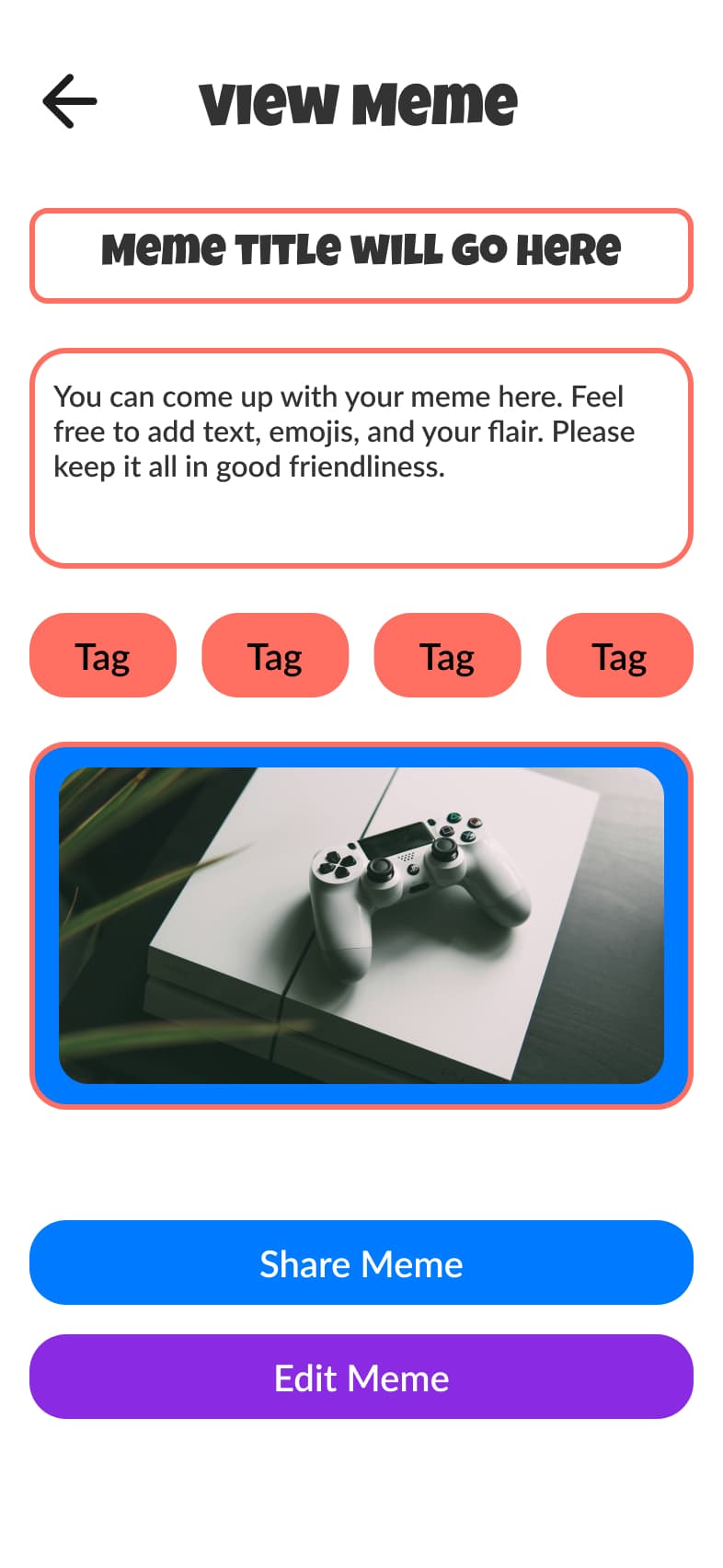
- Make sure in the mockups the buttons "Edit Meme" and "Share Meme" have a primary and secondary state. This will make it easier for the user to know what their main action is.
Meme Shared Screen
- Include an option to unshare a meme if the user changes their mind.
- Ensure the main actions for viewing memes are on the top of the Meme Shared confirmation screen, so users can clearly understand what to do next.
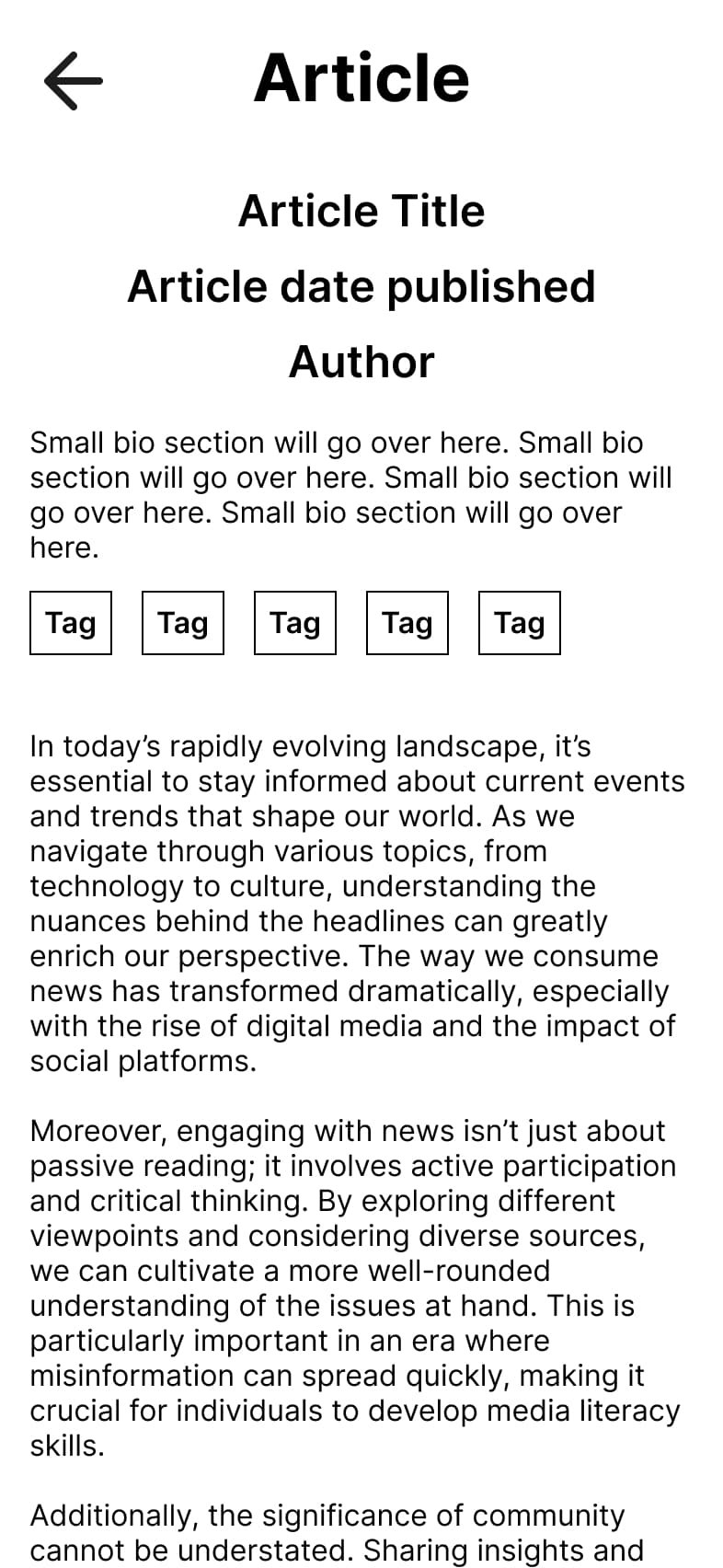
Story Details Before Redesign
Here we can see there is no image for the article. There is also too little space between lines of body text.
Story Details After Redesign
With the redesign, we can see an image for the article and better spacing between lines of body text.
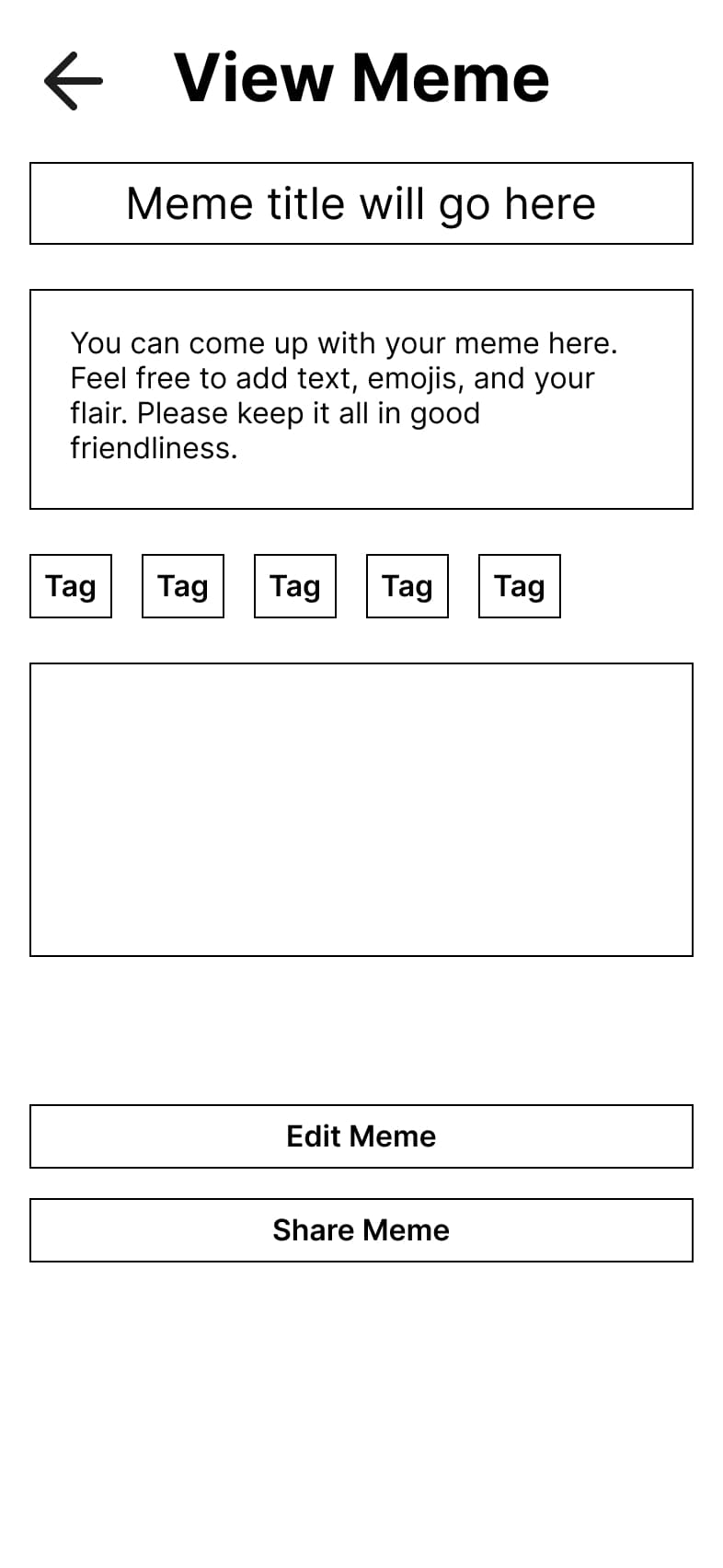
View Meme Before Redesign
The view meme wireframes cannot easily depict which of the buttons are primary or secondary.
View Meme After Redesign
With the redesign, the view meme shows "Share Meme" is primary and "Edit Meme" secondary.
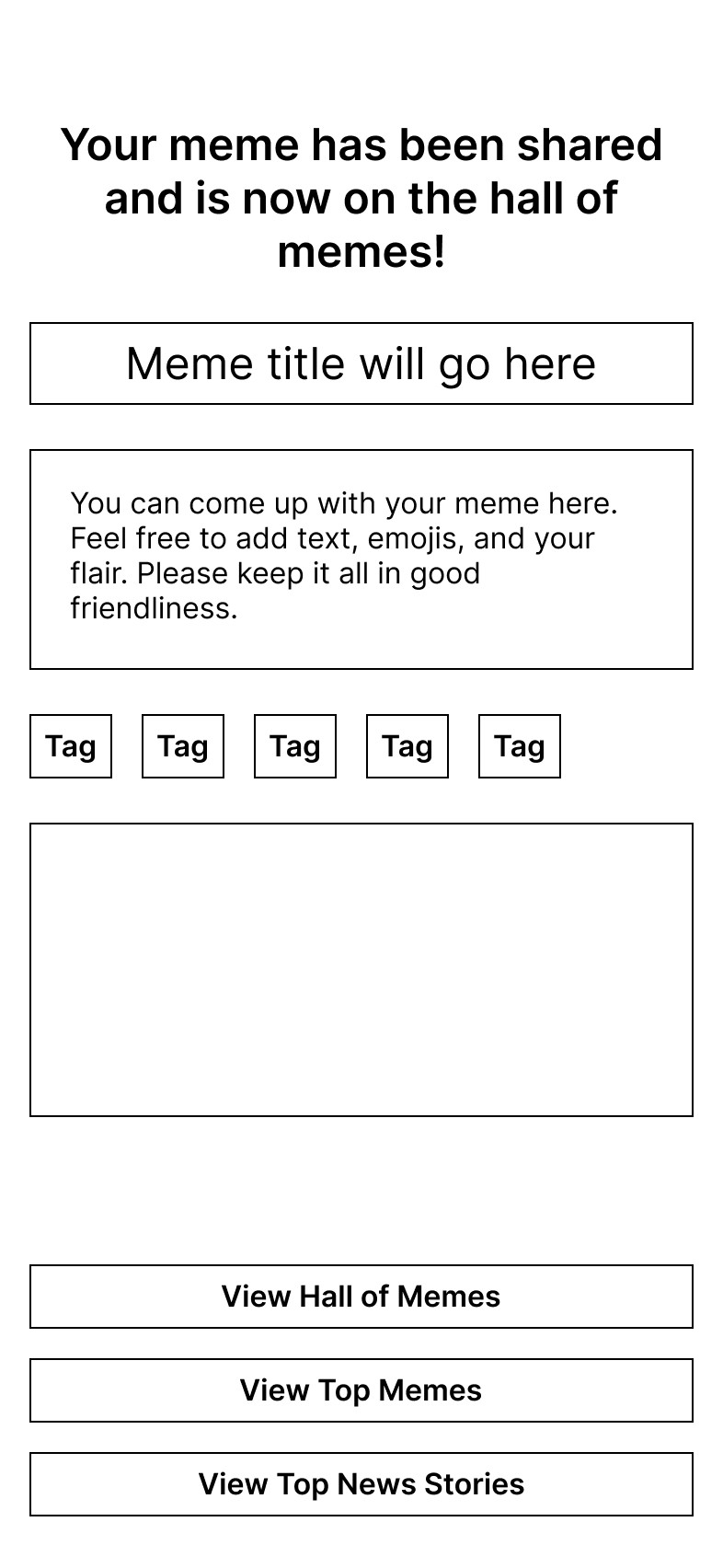
Meme Shared Before Redesign
The View Meme options are hard to view at the bottom of the screen. Also, there is no option to unshare a meme.
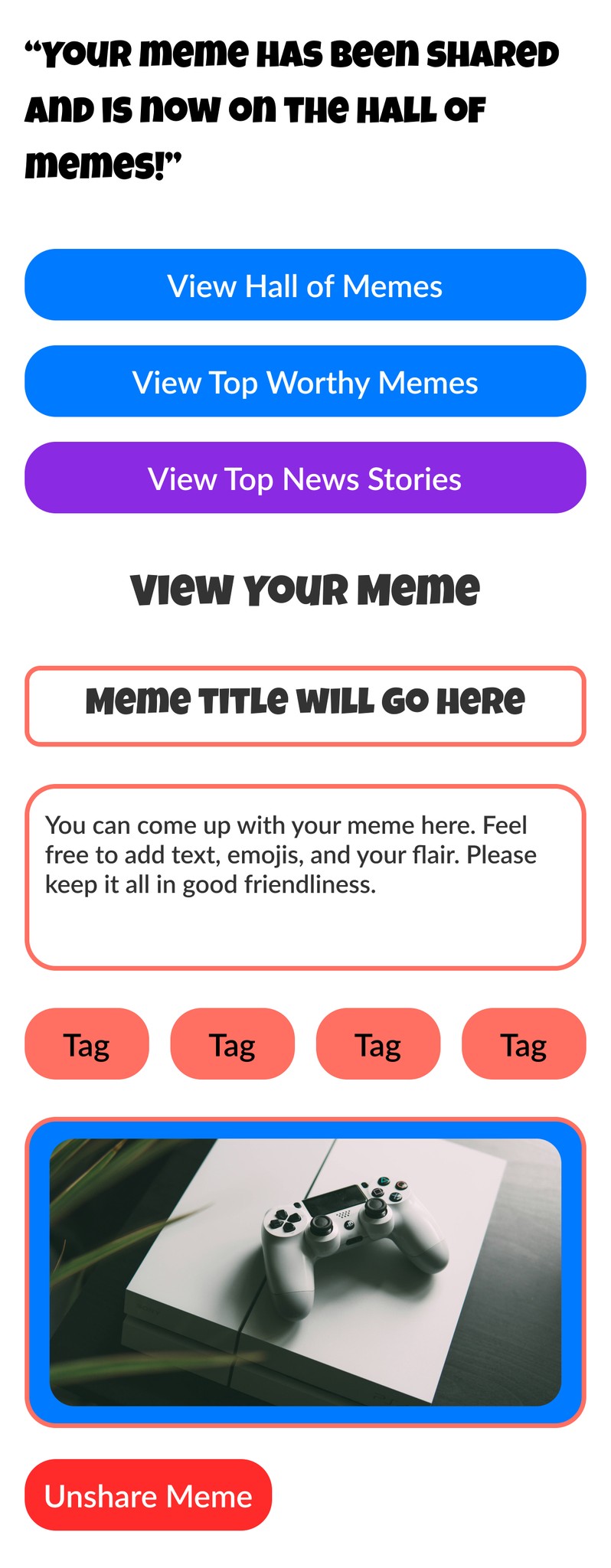
Meme Shared After Redesign
In the redesign, we can see that the view meme options are right at the top. Also there is a button to unshare a meme.
Conclusion
Final Presentation
I presented the final prototype of Memes and Dreams to my project manager, and she expressed her satisfaction with the effort I dedicated to developing the game. This prototype will be utilized by the Shades team during their ideation process to decide which games to integrate into their app.
What I learned?
I learned that effectively balancing both business objectives and user needs is essential for achieving an optimal UX solution. This insight directly relates to my work with the Shades team, as it will guide their decision-making in selecting games that resonate with users while also aligning with business goals to increase engagement with the app.
Go to top