StudyPeace
An AI focus and well-being smart watch app with gamification
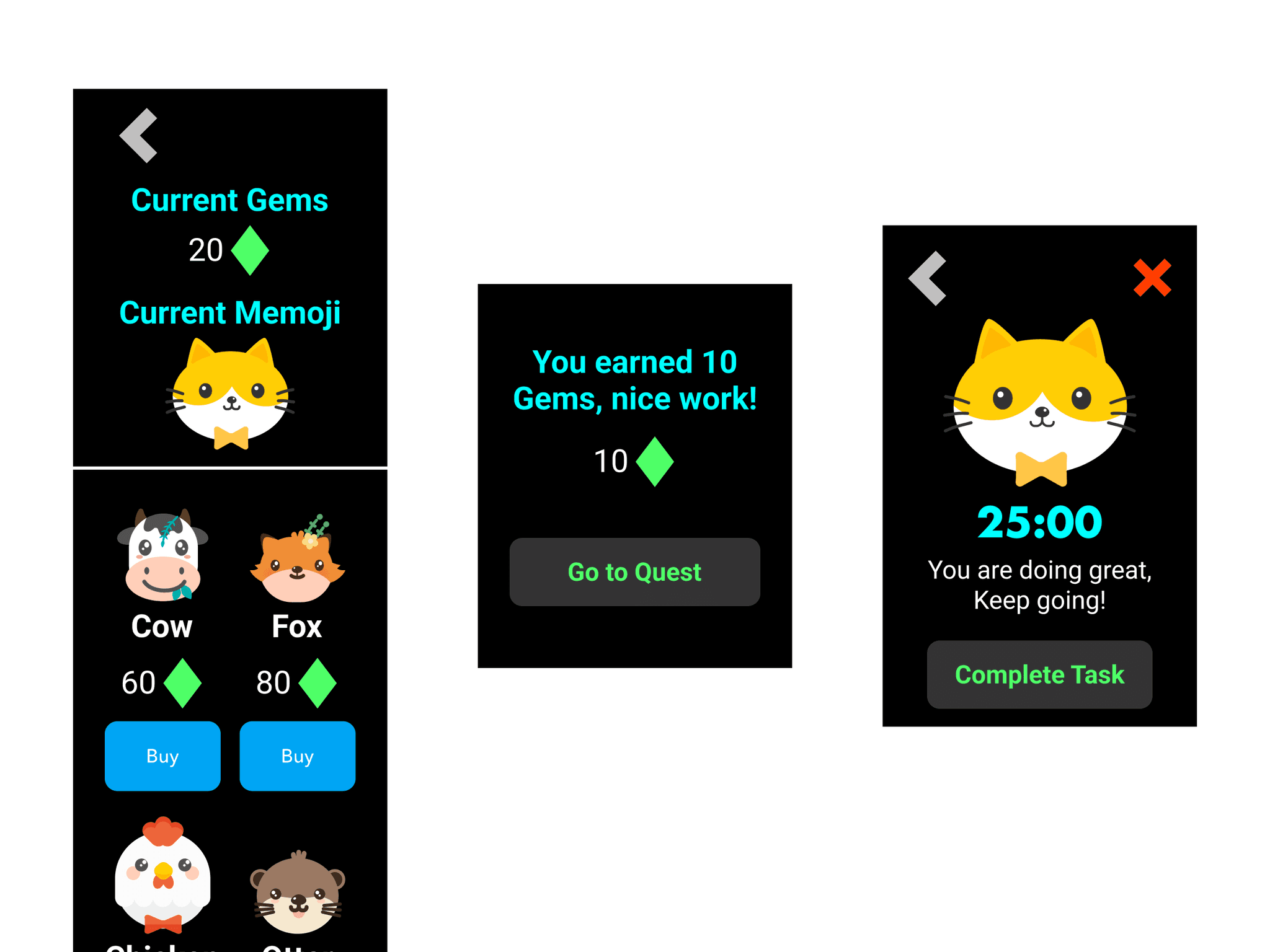
Memojis
Gems
Well-being practices
Problem Statement
How might we enhance the productivity and well-being of college students to get assignments and tasks done on time by utilizing a smart watch with AI behavioral modification and gamification elements to make studying and completing tasks a fun and rewarding process?

Research Insights
College students challenges
Increased work hours leads to decrease academic performance.
Unfocused students struggle to excel.
Study time does not always correlate to academic success.
Successful student habits
Time management skills can be useful for getting work done.
Learning new study techniques can enhance academic performance.
New activities and exercises like meditation and journaling can combat stress.
AI in the academic space
Humanoid robots, chatbots, and VR systems are some examples of AI integrated with education.
AI-supported classrooms attain better involvement from students leading to enhanced academics.
Student Pain Points and Needs
"A lot of hw and projects to finish"
"Lack of focus"
"Anxiety and feeling overwhelmed"
"Not enough time for classwork"
"Stress and negative thoughts"
"Want to learn new study techniques"
"Want to learn in fun/engaging ways with AI"
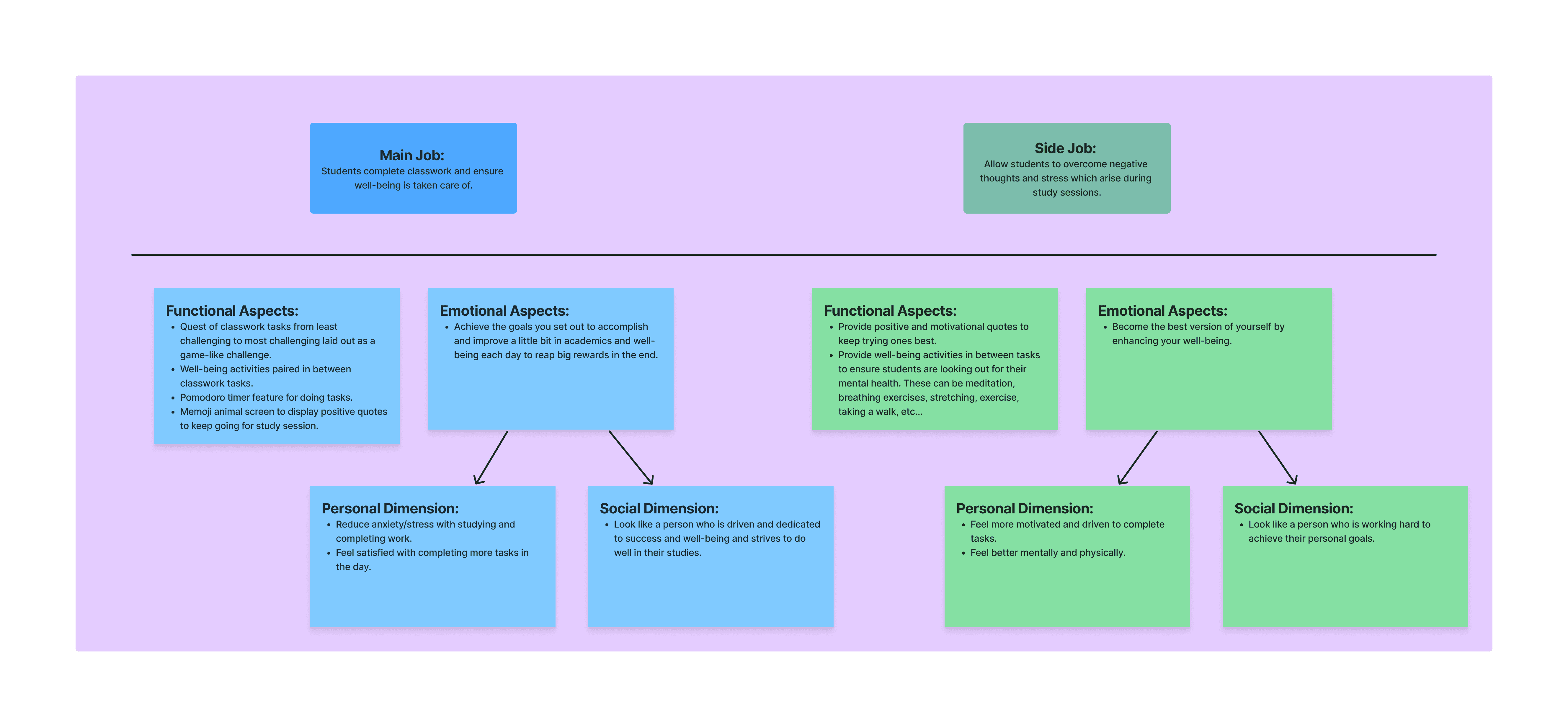
Jobs to be done
This framework defines the primary and secondary tasks aligned with the app's objectives.
Main job: "Students complete classwork and ensure well-being is taken care of."
Side job: "Allow students to overcome negative thoughts which arise during study sessions."
Sketches
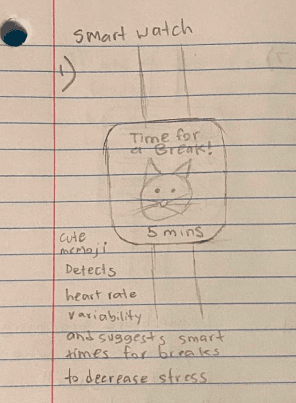
Sketch 1
Smart watch app which detects heart rate variability.
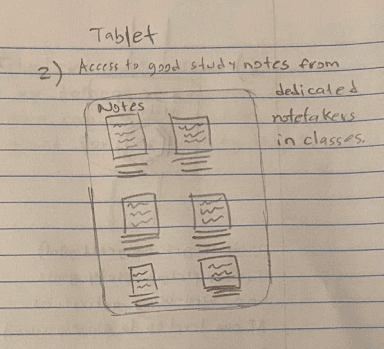
Sketch 2
Tablet view to access all student notes from lecture.
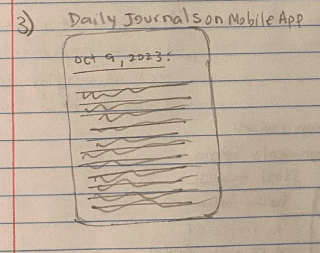
Sketch 3
Mobile app daily journaling.
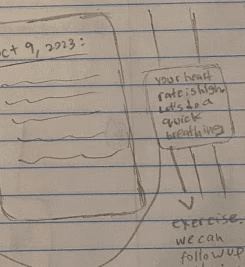
Sketch 4
Smart watch notifications for breaks.
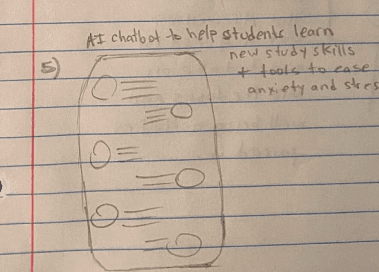
Sketch 5
AI chatbot to learn study skills.
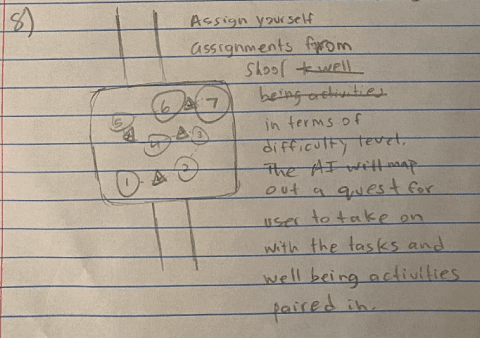
Sketch 6
Gaming quest of tasks and well-being activities for the day.
Final Sketch/Idea
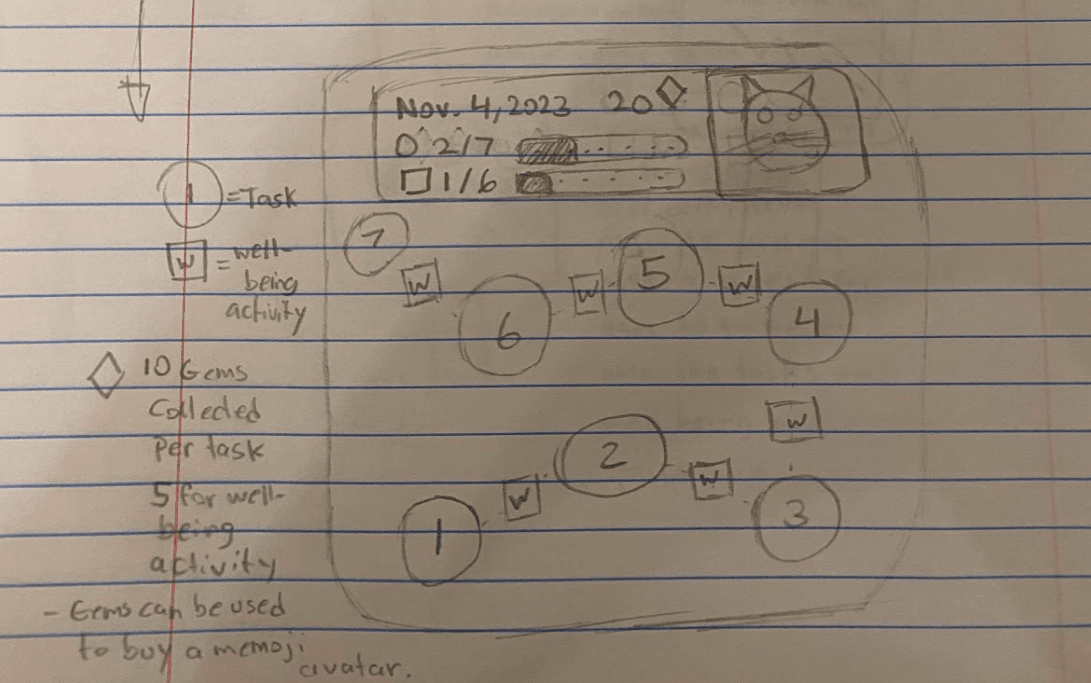
I wanted to delve deeper into the idea of creating a gaming quest of the tasks and well-being activities for the student to embark on in the day.
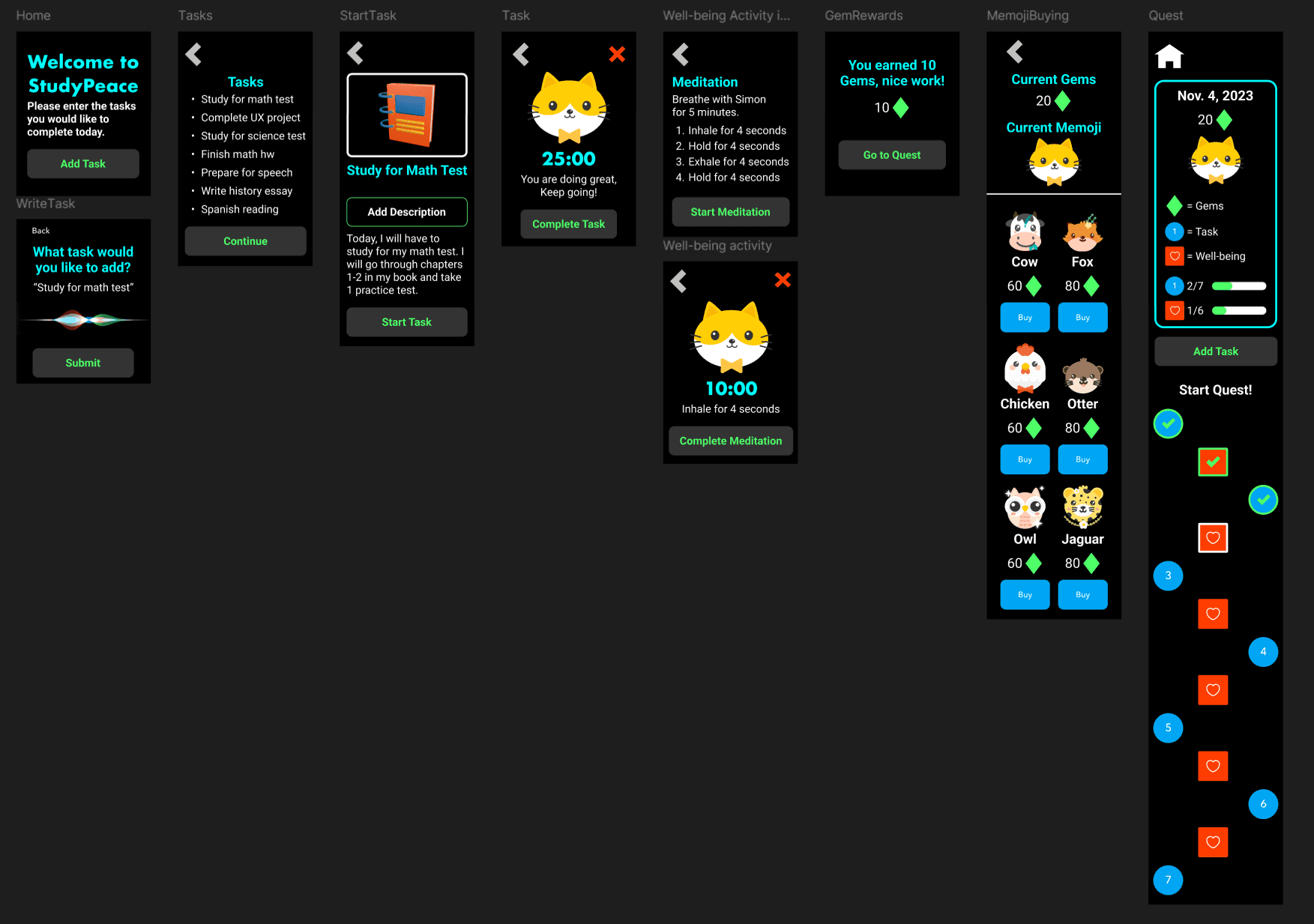
The AI will map out the quest of tasks and well-being activities for the user to embark on once the user types in their tasks they would like to complete for the day.
As you complete tasks and well-being activities, you gain gems. Gems can be used to purchase digital animal memojis.
Rough and Ready Prototype
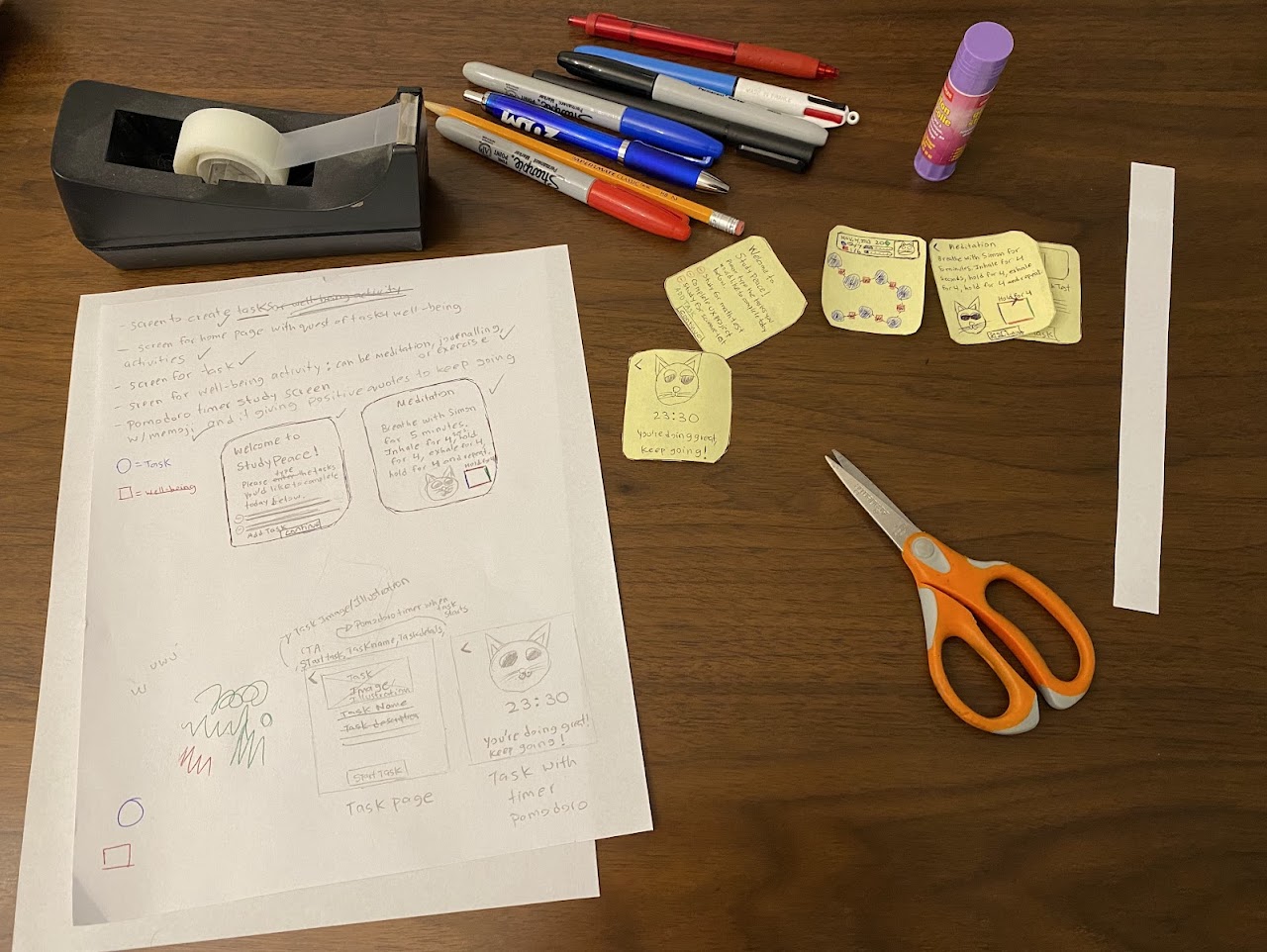
I moved forward with the gaming quest idea with tasks (classwork, projects) laid out and well-being activities paired in between the tasks.
Core Features
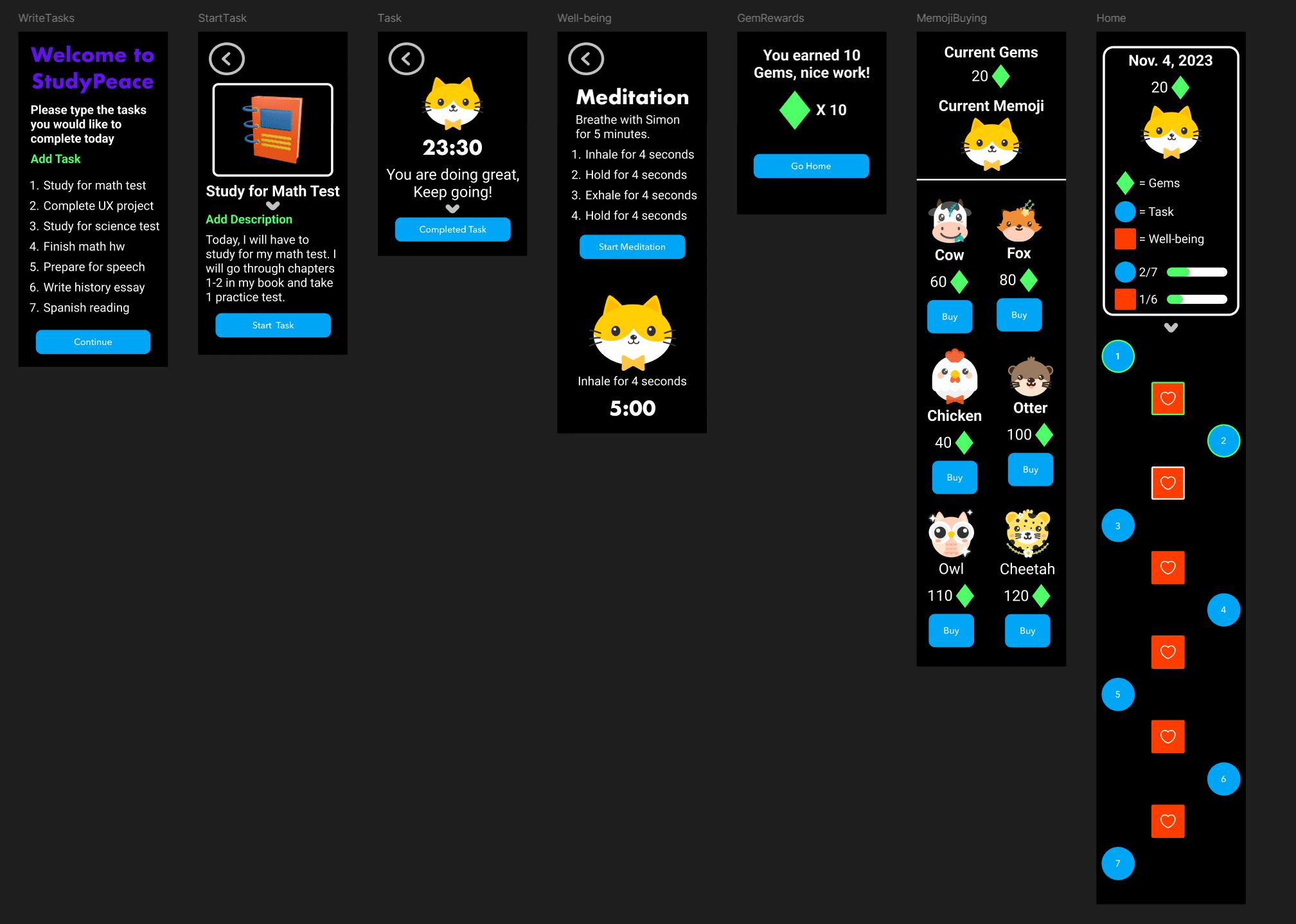
Write down tasks
Complete a well-being activity
Complete a task
Earn gems from completing tasks
Gaming quest of tasks and well-being activities
Purchase digital animal memojis
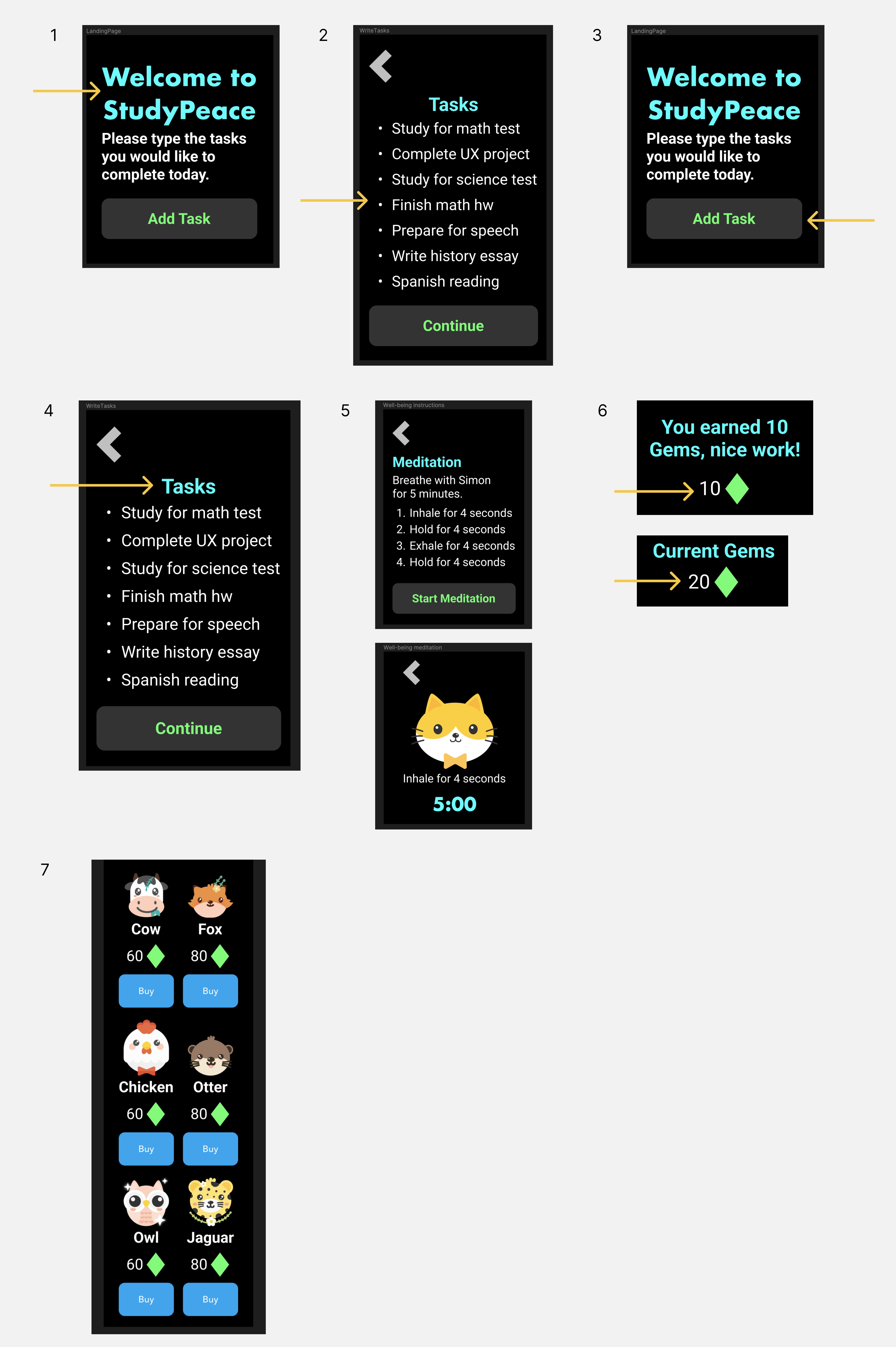
UI Design Iteration 1 Feedback
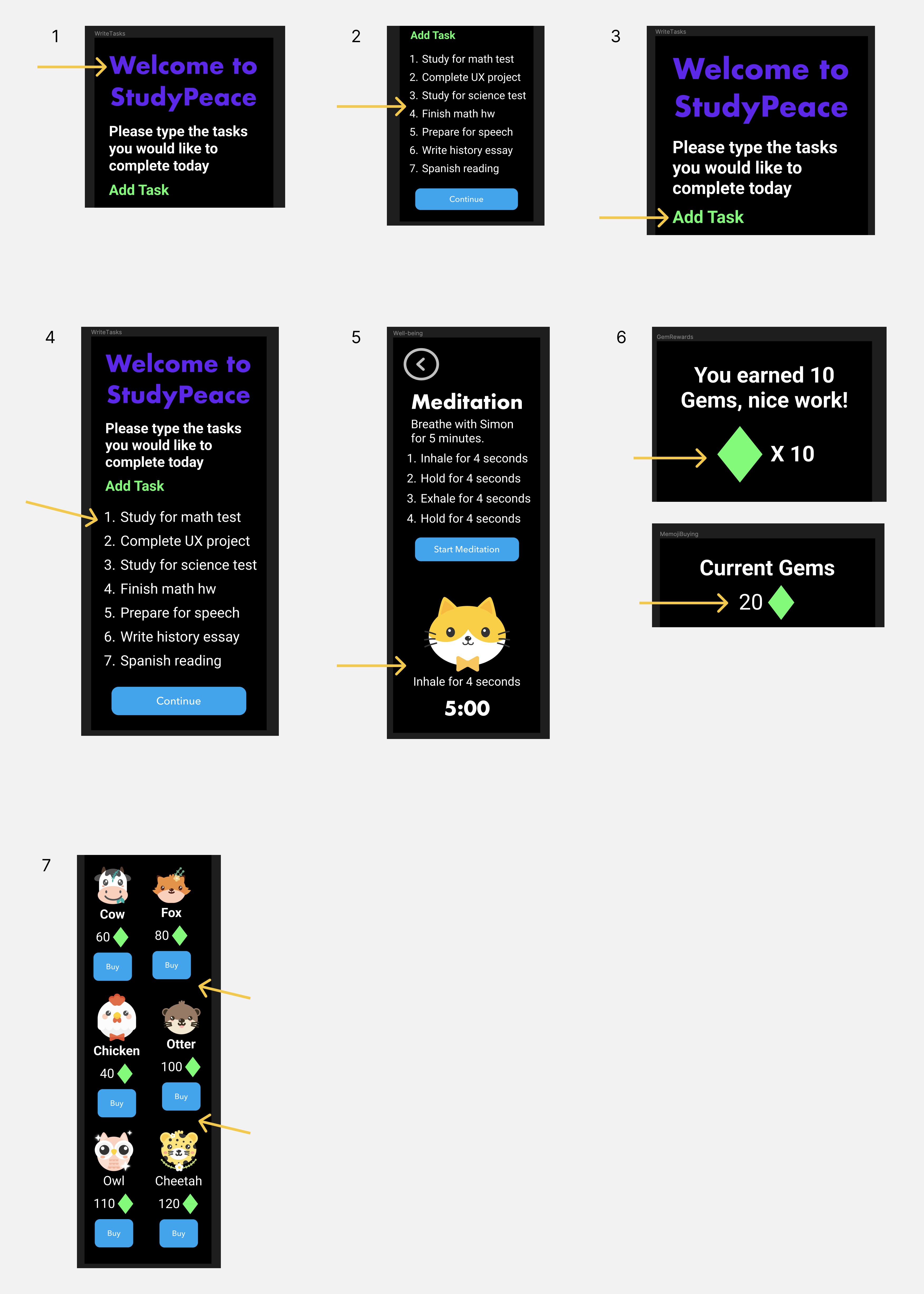
I asked 3 fellow Masters in HCI and Design students for feedback on the the initial designs for the smart watch app. Here is what they said…
1. Opt for brighter text colors.
2. Use a bulleted list for tasks to emphasize order doesn't matter.
3. Enhance UI for text buttons.
4. Create a title for list of tasks.
5. Meditation section placement may require unnecessary scrolling.
6. Inconsistent UI for gems displayed.
7. Inconsistent alignment for memoji buying screen.
UI Design Iteration 1 Solutions
I iterated on my designs and incorporated the feedback from my cohort members to improve the user experience
1. Changed headings to neon blue for better visibility.
2. Converted the numbered tasks to a bulleted list.
3. Added a clickable task button for clarity.
4. Added a title for list of tasks.
5. Split the Well-Being Activity and Meditation content.
6. Ensured consistent display of gems.
7. Aligned items on memoji screen.
UI Design Iteration 2 Feedback
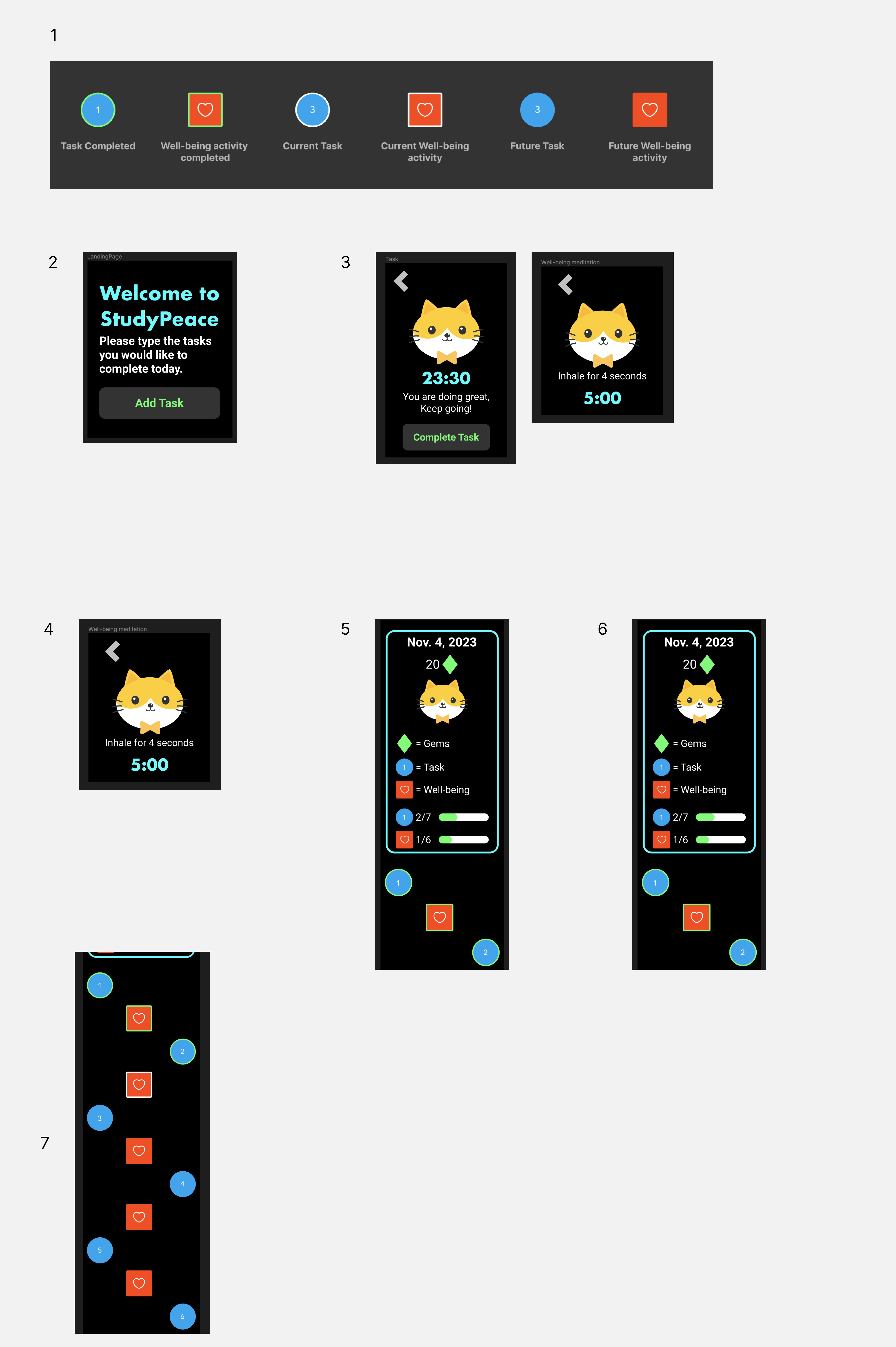
After my first iteration, I wanted to get feedback on my redesigns, so I asked a Senior UX Designer to review and this was her feedback...
1. Some variant states for tasks like 'Task Completed' lack status clarity.
2. How is a user able to enter tasks into the task list?
3. Why does the user not have an exit state?
4. No option to mark the end of meditation.
5. No way to add more tasks on gaming quest screen.
6. No home button on gaming quest screen.
7. No clear title for starting the gaming quest.
UI Design Iteration 2 Solutions
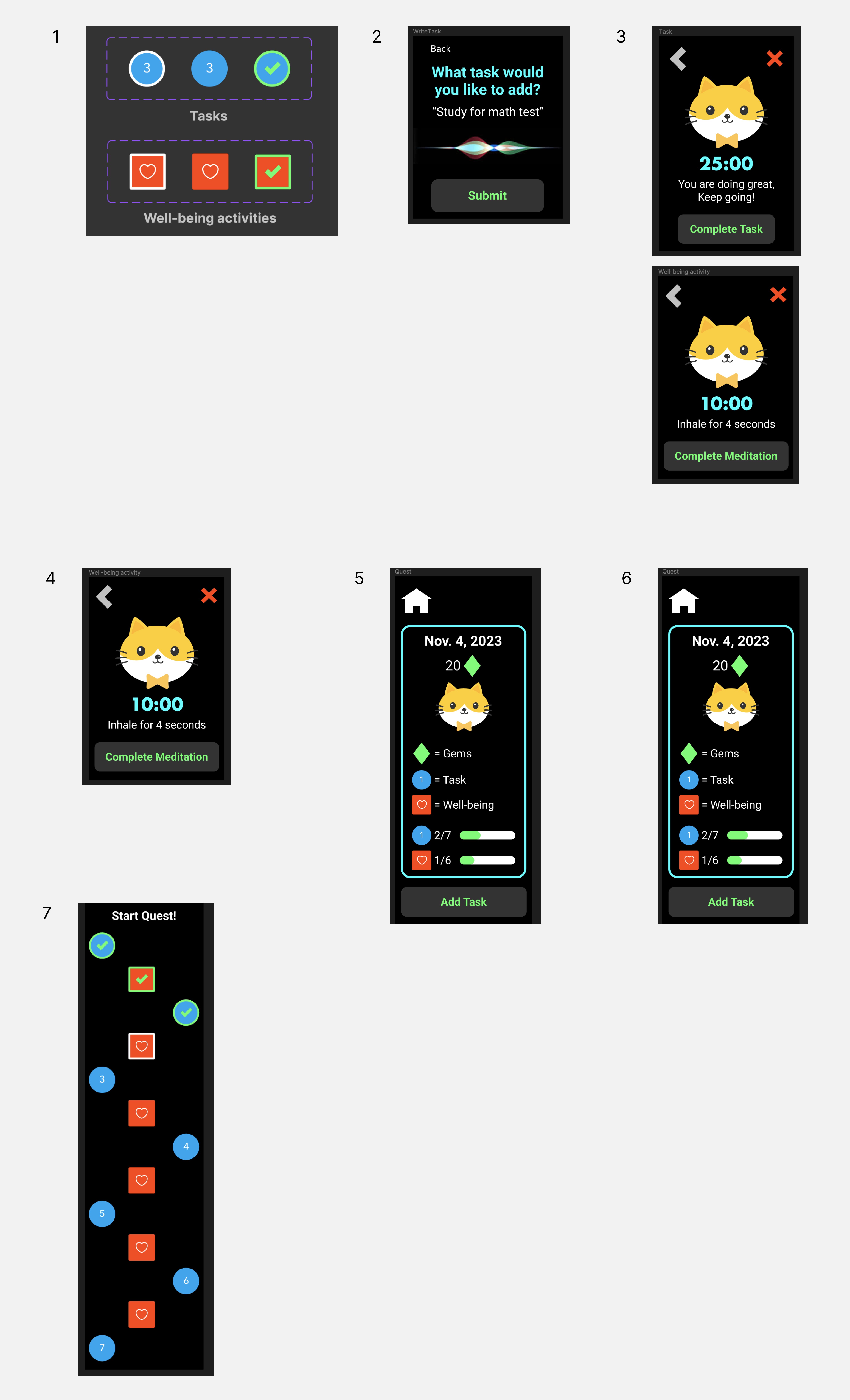
I incorporated the feedback and comments from my Senior UX Design mentor to improve the app.
1. Updated UI for variants to better reflect their states.
2. Created voice capture feature to allow users to verbally input tasks.
3. Added exit buttons to task and well-being screens.
4. Designed a 'Complete Meditation' button for users to finish session.
5. Added an 'Add Task' button to the gaming quest screen.
6. Added home button on gaming quest screen.
7. Added the title 'Start Quest' to mark the beginning of the user's journey.
Final Mockups
Impact
The iterations of my designs helped me increase functionality and ease of use for the students. They were also more satisfied with the new designs and appreciated the attentive care that I took to ensure their feedback was incorporated. It led them to feeling happy and positive while using the final version of my smart watch app.
Cohort member 1
"Applying gamification while doing work makes it feel more fun and exciting to learn!"
Cohort member 2
"I think the animal memojis are awesome and the app is so simple, easy to use, and fun!"
Senior UX Designer
"I really like what you did with your designs; I would definitely use this if I was a college student to enhance my productivity."
Go to top